
Why Energy Efficiency Is Becoming a Key Factor When Choosing Business PCs

Daisy Li
Display Solutions & Product Technology Expert
Specializing in OEM/ODM smart display solutions from 21.5″ monitors to 110″ interactive flat panels, with expertise in product configuration, system integration, quality control, and bulk project delivery for global B2B markets.
Follow me:
When businesses plan their IT budgets, hardware specifications often receive the most attention. Processor speed, RAM, storage capacity, and so on… those are the numbers people compare. But one factor that is often overlooked is how much electricity business PCs consume over time, namely, their long-term power consumption.
On one workstation, power consumption may appear to be a minor consideration. But once you scale it out to 50, 100, or even 500 machines working for eight plus hours each day, the cumulative energy cost becomes much more substantial. A lot more organizations now put energy efficiency in the middle of their PC procurement choices, not only as a cost-control measure, but also as part of broader corporate sustainability strategies.
This article explores what is really pushing the move toward energy efficient business PCs , what makes a machine genuinely efficient, and how to make smarter hardware purchasing decisions without losing the performance your team depends on.
Energy Efficiency Is No Longer Just About Lower Electricity Bills
In recent years, energy efficiency was often viewed primarily as an environmental consideration, for eco-conscious organizations in particular. Today it has become a practical business priority for companies of all sizes.
Operating Costs Add Up Faster Than Most Businesses Expect
A typical office desk PC runs for 8 to 10 hours a day and it usually uses between 60 and 150 watts , depending on the configuration and the actual workload. That may seem insignificant for a single PC, but the total electricity demand increases rapidly when you go from a few machines to dozens , or even hundreds of workstations:
- Annual energy consumption grows fast: Daily run-time multiplied by hundreds of workstations adds up to a large total kilowatt-hour amount, especially in areas with higher commercial electricity prices.
- Lower power usage compounds over time: Even 20 to 30 watts saved per unit in a 200-machine organization can add up to thousands of dollars in annual electricity savings depending on workload and deployment scale.
- TCO goes beyond the purchase price: An energy efficient PC helps lower total cost of ownership through reduced ongoing utility expenses during the complete hardware lifespan.
Today’s Businesses Face New Expectations
Energy efficiency now shows up in procurement checklists for reasons beyond the electricity bill:
- ESG and sustainability goals: Companies with environmental commitments are increasingly expected to make responsible IT purchasing decisions, and hardware energy ratings are one visible way to demonstrate that.
- Procurement requirements: Many larger organizations now include power consumption thresholds in their formal vendor criteria, particularly for large-scale business desktop PC deployments.
- Employee environment: Machines that consume less electricity tend to run cooler and quieter. This has a real, if modest, effect on worker comfort, especially in open plan offices.
What Actually Makes a Business PC Energy Efficient?
Energy efficiency results from a combination of efficient hardware and system-level optimization. All of these together cut power consumption without compromising business effectiveness.
Efficient Hardware
A PC’s power consumption is mostly dictated by its internal components:
- CPU architecture: Modern CPUs are intended for power efficiency and can do most office work at a fraction of the power of earlier systems. Most commercial tasks require balanced performance rather than peak requirements.
- SSD storage: SSDs generally consume less power than HDDs while also improving system responsiveness.
- Power supply quality: A high-efficiency power supply generates less waste heat during the process of conversion, which immediately reduces the power consumption and cooling requirements.
Smart Power Optimization
Hardware specifications are only part of the equation. How a system manages power throughout the workday also plays a major role:
- Intelligent power management: Power scaling features during idle periods or light workloads can make a considerable impact over a year.
- Firmware and BIOS settings: Well-optimized firmware and BIOS settings help the entire platform manage power more efficiently.
- Thermal design: Good airflow and thermal design allow a computer to run cooler, thereby reducing the workload on internal fans and lowering overall cooling demands.
How Energy-Efficient PCs Reduce Operating Costs Beyond Electricity
Lower energy consumption creates additional operational benefits across the workplace. Efficient corporate PCs can also increase the lifespan of hardware, reduce the total cost of ownership in the long run and cut electricity bills, as well as minimize cooling requirements.
- Lower cooling requirements: Machines that run cooler place less load on office air conditioning. In warm regions or crowded workstations, this might mean actual reductions in HVAC use over the course of a year.
- Less wear on hardware: Excessive heat is one of the major factors that accelerates hardware wear over time. Systems operating at lower temperatures generally experience fewer component failures, reducing maintenance costs and minimizing unplanned replacements.
- Lower total cost of ownership: when you look at the savings from electricity, reduced cooling spending and longer hardware lifespan , an energy-efficient business desktop PC can often bring a lot more long term value than a cheaper, power hungry counterpart.
Choosing an Energy-Efficient Business PC Without Compromising Performance
1. Match Hardware to Real Workloads
One of the most common mistakes in business IT procurement is over-specifying hardware. Most office roles do not need the processing power they are provisioned with. Consider what each workstation will actually be used for:
- Mid-range, power-efficient platforms are good for general office productivity, remote collaboration, customer service counters and data entry activities.
- Digital signage applications require very little processing power at all, making compact or fanless designs a practical and efficient fit.
- Multi-monitor office work may need a bit more graphics output, but modern integrated graphics solutions handle most business display configurations without requiring a dedicated GPU.
Right-sizing hardware to actual workloads is one of the most effective ways to improve energy efficiency across a fleet of office computers.
2. Look Beyond Processor Specifications
When it comes to judging an energy efficient PC, the CPU wattage rating is a good starting point, but that’s not the whole story:
- Overall platform efficiency: Ultimately, it is the CPU, memory, and chipset working together that matters more than any one characteristic in isolation.
- Memory configuration: Properly matched memory can reduce idle power draw in ways that add up meaningfully over time.
- Storage technology: NVMe SSDs offer fast performance with low power consumption, making them a practical default for most business deployments.
- Sleep and standby capabilities: For machines that are not in constant use, deep sleep states and fast wake times can significantly reduce average daily energy consumption.
For All-in-One PCs, display power consumption is also worth factoring in, since the screen is often the single largest energy draw in the entire system.
3. Consider the Form Factor
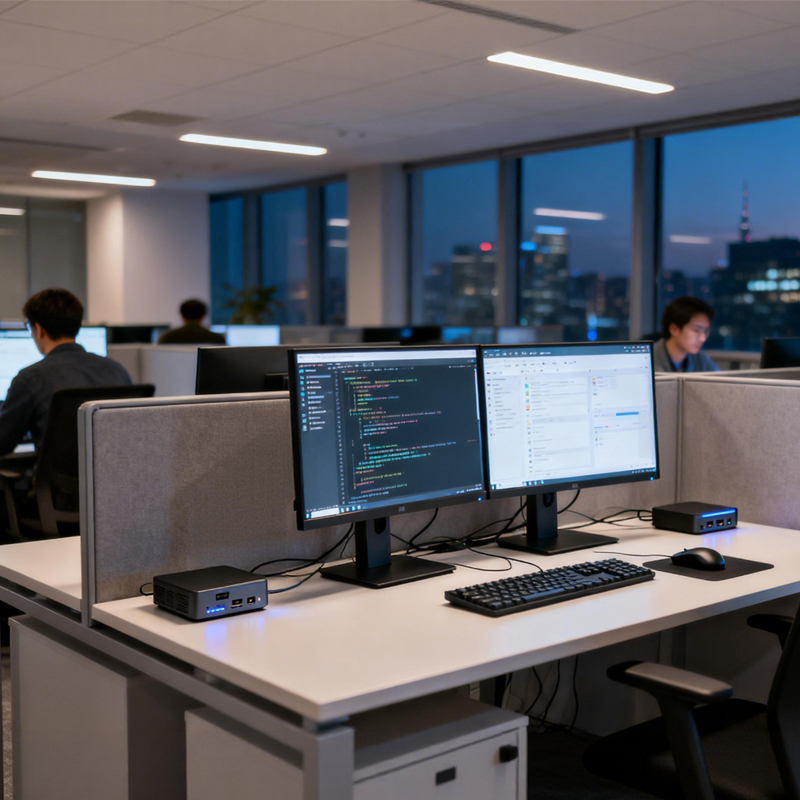
Energy efficient mini PCs and All-in-One designs tend to use significantly less electricity than standard tower computers. Most common office workloads can be handled by a small business PC based on a current low-power platform that consumes only a fraction of the wattage needed by a full-size computer.
In deployments where space, noise and power use all matter, compact form factors are well worth considering and frequently give the optimum blend of efficiency and practicality.
When assessing business PCs, it helps to look beyond processor specifications alone. Energy efficiency is determined by a combination of hardware and system level factors. The checklist below details the essential components to examine, and why each component is important.
| Component | What to Look For | Why It Matters |
| CPU | Modern low-power architecture | Better performance per watt for everyday business tasks |
| Storage | SSD or NVMe SSD | Lower power usage, higher performance, and less heat generation |
| Power Supply | High-efficiency PSU | Less energy wasted during power conversion |
| Memory | Appropriate RAM capacity | Supports efficient multitasking without unnecessary hardware overprovisioning. |
| Power Management | Sleep, standby, and wake features | Reduces energy consumption during idle periods |
| Form Factor | Mini PC or All-in-One PC | Typically consumes less power and saves workspace |
Switch to a Greener, Lower-Cost Office
Choosing energy-efficient office computers is not about accepting less. When selected appropriately, it means getting reliable performance where it is actually needed, reducing costs that compound over years, and building an IT environment that holds up better over time.
Tenfly manufactures a range of business PCs and energy efficient mini PCs built for exactly these kinds of real-world deployments. Contact us to find the right configuration for your next project.
Contact Tenfly today for a free consultation.
