
VESA-Mounted Mini PCs vs. All-in-One PCs: Which Is Better for Enterprise IT Deployments?

Daisy Li
Display Solutions & Product Technology Expert
Specializing in OEM/ODM smart display solutions from 21.5″ monitors to 110″ interactive flat panels, with expertise in product configuration, system integration, quality control, and bulk project delivery for global B2B markets.
Follow me:
When a corporation is deploying hardware across dozens or hundreds of workstations, the choice of form factor is more important than most people realize. Do you go with a VESA-mounted mini PC arrangement or do you standardize on an all-in-one solution?
Although it may seem like a secondary concern, this decision can impact everything from repair response times to your hardware refresh budget five years down the road.
Both approaches have their real merits. The key is to figure out which one works for your particular deployment environment. This guide on the mini PCs vs all-in-one PCs debate tackles the topic from a practical IT standpoint and covers modularity, total cost of ownership, deployment speed and real-world use cases, helping you make a better informed decision.
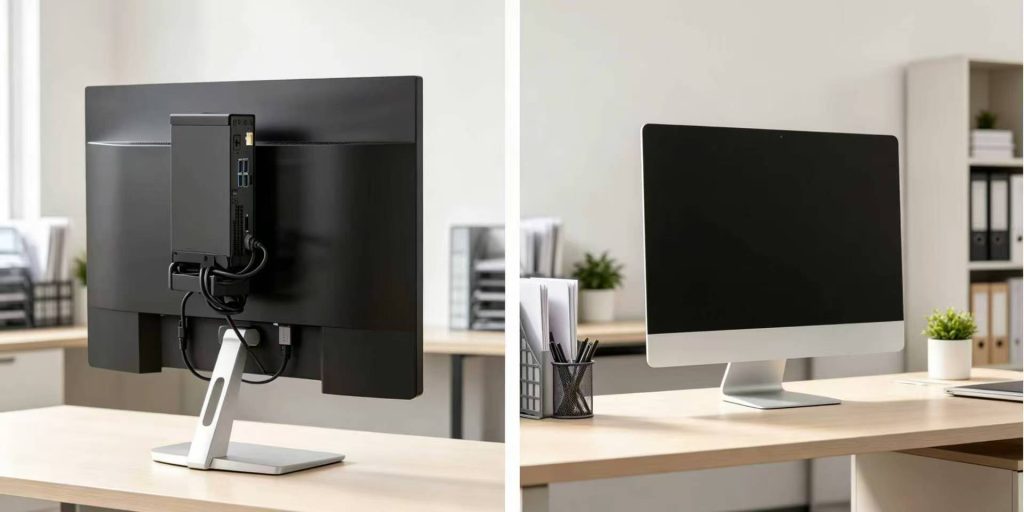
Rethinking the Modern Workspace: Beyond the Traditional Desktop
Not so long ago, it was the norm to have a tower PC under every desk. That concept still exists, but it is slowly being phased out in most professional contexts. Space is a real cost, cable sprawl is an operational nuisance, and the expectations around commercial computer management have changed dramatically over the last decade.
Today, IT purchasers face a couple of cleaner alternatives: modular mini PC systems connected to external monitors, or integrated all-in-one systems that combine the display and computation in a single box. They each serve different deployment priorities, and depending on the work environment, one may significantly outperform the other..
Why VESA-Mounted Mini PCs Have Gained Popularity as Enterprise Solutions
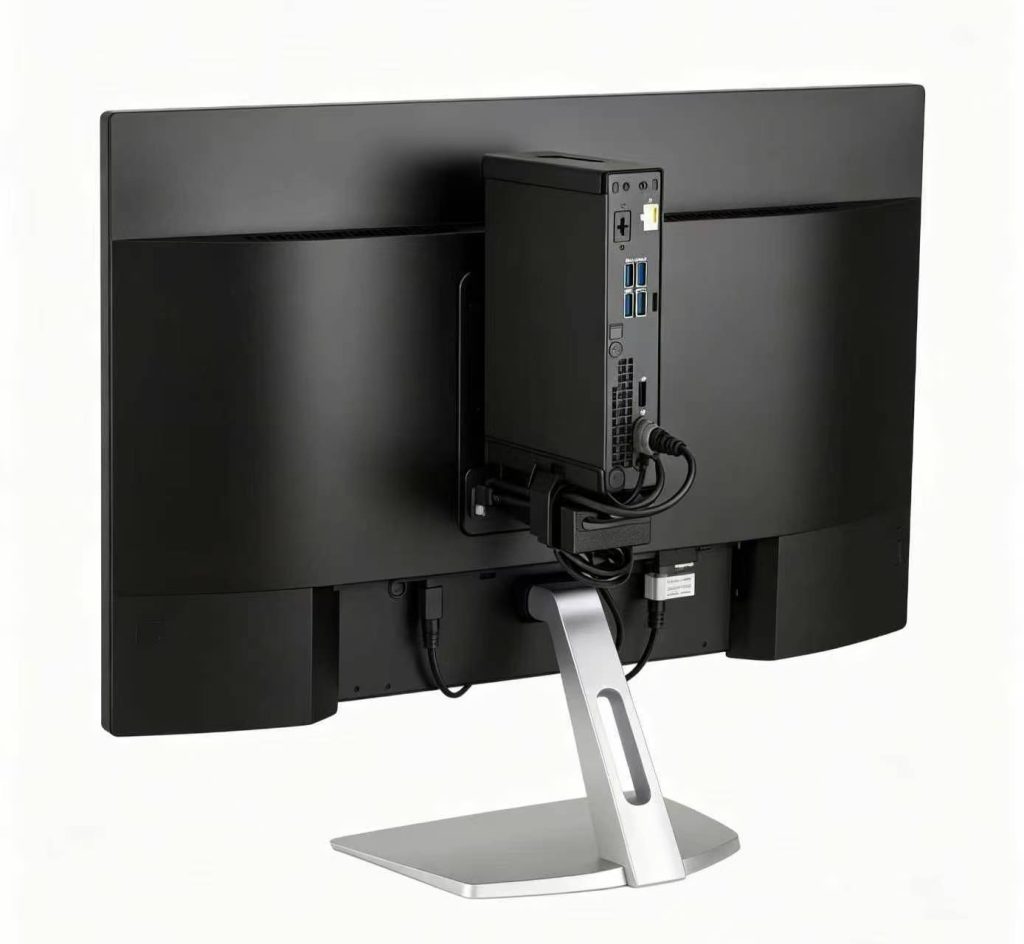
In the previous few years, concealing the host PC behind the screen has gone from curiosity to normal industry practice. The VESA Flat Display Mounting Interface standard was originally designed for wall and arm mounting, but it has been used to install a small mini PC directly to the back of a monitor to create a clean workspace that doesn’t eat up any desk space.
Here’s why this approach is gaining real traction in business deployments:
- Ultimate Modularity: The display and computation unit are physically separated, so if there is a hardware breakdown, the complete workstation does not go down. If the mini PC fails, you simply replace the PC. If the display fails, you replace only the screen. This independence goes a long way to reduce downtime and ease the maintenance procedure for IT teams who manage large fleets.
- Zero-Footprint Design: One of the most efficient ways to reclaim desk space is using the mini PC behind monitor setup. Mini PCs for business aren’t that big but you’ll typically find multiple USB ports, display outputs and even dual LAN in a well-specced product so you won’t have to sacrifice connectivity for form factor.
- Upgrade Flexibility: IT departments can refresh the compute units without replacing functional displays or vice versa. One of the most practical advantages of a modular arrangement for enterprise deployments is that this form of separate upgrade path offers real savings at scale across a 5-7 year hardware lifecycle.
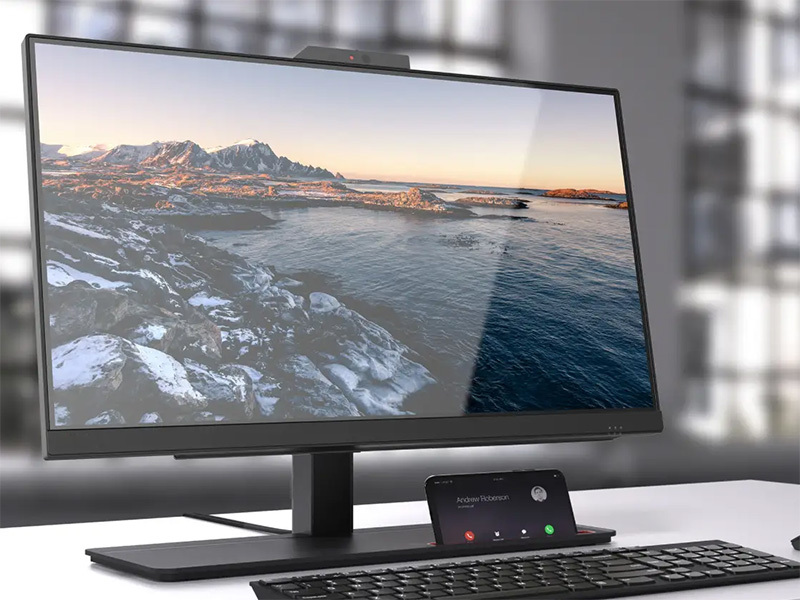
Sleek and Standardized: The Case for the All-in-One PC
To be fair, not all workstations are suitable candidates for a modular strategy. All-in-one PCs have earned their place in the enterprise for good reasons, and for good reasons of a practical nature, and in some deployment circumstances they are actually hard to beat.
Where AIOs Shine in the Corporate Setting
The all-in-one PC for business provides more than just a clean look. In the right setting, it simplifies operations in ways that matter:
- Plug-and-Play Deployment: An AIO requires only one power cord to be ready to go. It’s this kind of simplicity that is really important for branch offices or retail locations without specialized on-site IT assistance. Fewer cords, fewer setup tasks, fewer sources of failure on rollout.
- Integrated User Experience: Webcam, microphone, speakers, and display are all built into a single system. This simplifies deployment while maintaining a clean and professional workstation appearance, making AIOs well suited for reception areas, conference rooms, and customer-facing environments.
- Standardized Deployment: Because hardware, display, audio, and peripherals are integrated into a single platform, AIOs can simplify procurement, reduce compatibility concerns, and deliver a more consistent user experience across multiple locations.
Total Cost of Ownership: The One Thing Most Buyers Miss
When considering mini PC vs all-in-one PC for enterprise use, upfront cost is only part of the story. Total cost of ownership (TCO) can often present a different story including maintenance, repairs and hardware refresh cycles. A few points worth considering:
- Display lifespan vs. compute lifespan: The monitor may last 7 to 10 years whilst the compute inside an AIO may need to be refreshed in 4 to 5 years. You just swap out the PC unit for a mini PC arrangement. With an AIO you often have to replace the entire machine even though the screen is still perfectly decent.
- Repair complexity: A failing mini PC is a quick field replacement. When an AIO goes bad, it normally has to be sent back for repairs, taking the screen offline as well, thereby bringing the entire workstation down.
- Bulk upgrade costs: Organizations managing 100+ seats will see a genuine budget difference in the ability to renew compute and/or display inventory independently over a 5-year horizon.
The Head-to-Head Breakdown: Mini PC vs. All-in-One PC
Here’s a side-by-side comparison to help frame the decision:
Comparison Table
| Evaluation Metrics | VESA-Mounted Mini PC | All-in-One PC |
| Initial Deployment Speed | Moderate (Requires monitor mounting) | Fastest (Plug & Play) |
| Hardware Upgradability | High (Monitor & PC upgraded independently) | Low (Often limited to RAM/Storage) |
| Maintenance & Repair | Easy (Swap out just the PC unit) | Complex (Entire unit needs repair) |
| Cable Management | Good (Hidden behind monitor) | Excellent (Built-in power/display) |
| Total Cost of Ownership | Lower (Independent upgrades and repairs) | Higher (Component failures may require full replacement) |
| Best Fit For | Customer service, regular office staff, dev teams | Front desk, executive offices, retail POS |
Practical applications: Our Recommendations for Field Deployment
Based on our experience deploying hardware across a wide range of enterprise environments, here’s what we normally recommend to clients:
For Call Centers & High-Density Offices
For these settings, VESA-mounted mini PCs are often the preferred choice due to their serviceability and upgrade flexibility. In a high-density environment, the speed of recovery is critical when a hardware breakdown occurs.
IT staff can simply walk over to the workstation, extract the mini PC from the back of the monitor, replace it with a replacement unit and bring the workstation back up—frequently in just a few minutes. No waiting for service pickups, no long down-time. This operational flexibility can deliver meaningful benefits in large deployments.
For Client-Facing Receptions & Executive Suites
For these deployments, organizations often choose high-end all-in-one PCs because they simplify deployment while providing a consistent user experience.
The display, webcam, speakers, microphone, and computing hardware are integrated into a single system, reducing setup complexity and minimizing the number of devices IT teams need to manage.
The streamlined design also helps maintain an organized workspace, which can be beneficial in reception areas, executive offices, and other customer-facing environments.

For Digital Signage & Interactive Displays
VESA-mounted mini PCs are also widely used behind digital signage screens and interactive displays. Their compact size, hidden installation, and ease of replacement make them well suited for commercial display environments.
Next Steps
There is no single right answer to the mini PC vs all-in-one PC argument. Which is best depends on your deployment environment, your IT team’s support strategy, and how you plan to handle hardware in the long term. It’s not only about initial costs or looks. What matters is selecting a solution that considers the big picture.
Tenfly manufactures both mini PCs and all-in-one PCs designed for business use, and we work directly with IT teams and procurement managers to match the right hardware to the right deployment. If you are planning a rollout, browse the mini PC or all-in-one PC series and request a custom recommendation based on your needs.
Contact Tenfly today for a free consultation.
