
Can Mini PCs Handle 24/7 Business Operations? What Buyers Should Know

Daisy Li
Display Solutions & Product Technology Expert
Specializing in OEM/ODM smart display solutions from 21.5″ monitors to 110″ interactive flat panels, with expertise in product configuration, system integration, quality control, and bulk project delivery for global B2B markets.
Follow me:
If you have ever been to a retail establishment and seen a self-service kiosk running all day, or strolled past a digital display board that never appears to turn off, it is very likely powered by a mini PC. These little boxes have quietly become a go-to for companies that need always-on computing without the footprint of a regular desktop.
But before you decide that a mini PC is the way to go for your business, there’s one concern that seems to come up: can they genuinely handle running non-stop? The answer depends on more than just the specifications. In this guide, we’ll discuss what makes a mini PC ready for 24/7 deployment, what you should look out for, and how to pick the best one for your particular workload.
Does a Mini PC Need to Run 24/7?
Not every business needs 24/7 uptime. For example, a typical office PC can simply be turned off at the end of the day. But many commercial, industrial applications can’t afford interruptions:
- Digital signage: Displays in airports, shopping malls and transit hubs are operating around the clock.
- Security monitoring: Camera recording systems must be in operation 24/7 without any lapses in coverage.
- Industrial automation: Production lines need steady and continuous system control.
- Retail POS and self-service kiosks: Extended hours of operation are the standard, not the exception.
- Remote management servers: Should be available all the time for the network operations.
In these cases, uptime for the mini PC is not simply a preference, it’s a hard requirement. And that’s when the reliability concern really comes into play.
Can Mini PCs Stay On All the Time?
The simple answer is yes, and in most circumstances it’s entirely safe to leave a mini PC on 24/7. Modern operating systems like Windows and Linux are designed for long uptime. The fundamental question is not if the OS can do it, but if the underlying hardware can manage it.
Running continually is not the same as operating under strong workloads all the time. Many commercial tasks, such as digital signs, point-of-sale systems and network monitoring, are relatively light on the CPU. It is doubtful that a highly equipped mini PC will be pushed to its limits during regular operation handling these operations.
That said, long-term reliability still depends on several factors. Regular software updates, occasional reboots to maintain the system healthy, and a clean environment, all contribute to stable, long term performance. In the end, the longevity of a mini PC’s uptime without issues comes down to its design and maintenance consistency.
What Determines Mini PC Reliability for Long-Term Operation?
1. Thermal Design Matters More Than Compact Size
Heat is the main problem for any technology that runs continually. Heat management becomes much more important in a tiny form factor.
- Efficient cooling: The fanless or fan-based cooling system is nicely built to keep CPU temps consistent without performance compromises.
- Airflow design: Good air flow inside the enclosure prevents heat build-up which slowly kills components over time.
- Component longevity: Processor, memory and storage have an extended lifespan thanks to proper temperature control.
Even if the specs look good on paper , if the thermal design of the mini PC is bad , it will eventually either throttle or fail .
2. Enterprise-Grade Components Improve Stability
Not all mini PCs are the same. Quality of internal components is important for 24/7 business use.
- Reliable SSD storage: SSDs don’t have any moving parts therefore they are less likely to suffer from mechanical failure. Similarly, for steady workloads with a lot of data writes, it is just as vital to choose an SSD with a suitable TBW (Terabytes Written) rating.
- Stable memory modules: Commercial-grade RAM is less likely to cause system difficulties during long-term use.
- Quality power circuitry: Stable power delivery safeguards internal components against wear. A mini PC along with a UPS (uninterruptible power supply) also provides protection against power surges and sudden blackouts.
3. Remote Management Reduces Maintenance Costs
One of the most overlooked considerations for large-scale mini PC deployments is remote manageability.
- Remote monitoring: IT staff may remotely monitor the health of devices, eliminating the need for on-site visits, saving time and cutting maintenance expenses.
- Auto-restart after power recovery: The system should be able to restart automatically after a power outage without human interaction.
- BIOS scheduling: The option to schedule wake and shutdown times provides flexibility for automated workflows.
- Device health monitoring: Early detection of hardware issues to prevent unplanned downtime.
Power Consumption: A Hidden Advantage of Mini PCs
Running equipment 24/7 can easily add to your electricity bill. This is where mini PCs really have a tangible advantage over larger computers. Their low power consumption correlates directly to cheaper running costs, less heat in the deployment space, fewer UPS needs and easier large scale fleet deployment across several locations.
| Device | Typical Power Draw | Relative Annual Energy Cost* | Suitable for 24/7 Deployment |
| Mini PC | 10–40 W | Low | Excellent |
| Small Desktop | 60–150 W | Medium | Good |
| Tower Workstation | 200 W+ | High | Only when required |
*Approximate values vary by workload and hardware configuration.
For companies who have dozens or even hundreds of these devices, 30W difference per device can add up to big savings in a year.
How to Choose the Best Mini PC for 24/7 Business Operations
The important specifications to consider when choosing your selections are:
- Cooling design: Fanless systems are favoured in dusty or noise-sensitive regions; active cooling can better handle heavy workloads.
- Processor choice: Select a processor that meets your workload. An overclocked CPU consumes energy while an underpowered CPU may not be able to handle demanding tasks.
- RAM and SSD: Enough RAM avoids slowdowns. A good SSD keeps the system stable in the long run.
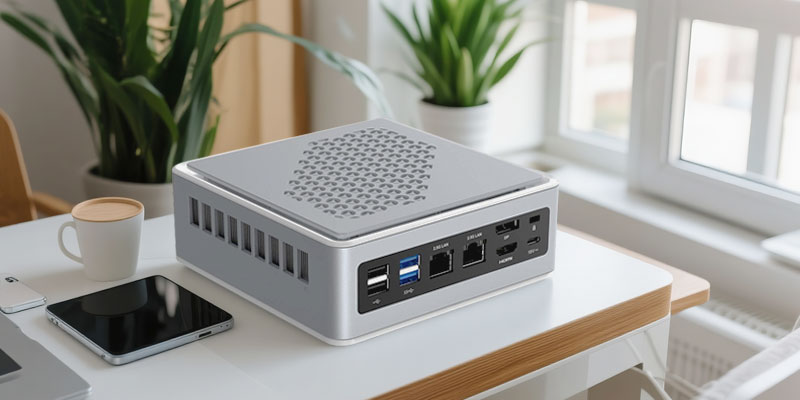
- Display outputs: Multiple ports are important for signage walls or multi-screen control room configurations.
- Wired network connectivity: Gigabit Ethernet is favoured over Wi-Fi to ensure stable, uninterrupted connections in business contexts.
- Expandability: Future upgrades are possible, so premature replacement is not necessary as needs increase.
Besides specs, think about your deployment environment:
- Ambient temperature and dust levels: High-dust or high-heat environments require ruggedised or fanless designs.
- Mounting location and ventilation: Poor ventilation can undermine even the best thermal design.
- Power protection: A UPS is highly recommended for mission critical deployments.
- Remote management support: Central management is becoming critical as your fleet increases.
Quick 24/7 Mini PC Buying Checklist
| Checklist Item | Why It Matters |
| Efficient cooling | Maintains stable performance under continuous load |
| Reliable SSD | Improves long-term uptime and data integrity |
| Low power consumption | Reduces operating costs across the fleet |
| Multiple display outputs | Supports signage walls and control room setups |
| Remote management | Simplifies maintenance without on-site visits |
| Rich I/O connectivity | Connects business peripherals easily |
Final Thoughts
Mini PCs are a practical and cost-effective alternative for companies needing stable and continuous operation. The trick is to select technology that matches your real workload and environment, not just the smallest or cheapest.
At Tenfly, we design and build mini PCs for genuine business demands. Every design is focused on thermal management, component quality, and long-term reliability. If you are planning a 24/7 deployment, contact us for specific recommendations.
Contact Tenfly today for a free consultation.