
OEM vs ODM All-in-One PCs: Which Sourcing Route Speeds up Your Brand’s Growth?

Daisy Li
Display Solutions & Product Technology Expert
Specializing in OEM/ODM smart display solutions from 21.5″ monitors to 110″ interactive flat panels, with expertise in product configuration, system integration, quality control, and bulk project delivery for global B2B markets.
Follow me:
OEM or ODM? If you are buying in volume, then this decision will directly impact your budget, time to market and even how much of the product you really own. But here’s what most guides won’t tell you: the manufacturing type you choose is really far less important than the manufacturer you choose to deal with.
This guide breaks down the meaning of OEM and ODM, discusses the real pros and cons of each, and shows how they help firms get to market faster with fewer surprises.
What Is the Difference Between OEM and ODM?
Both terms get used loosely in the industry, which creates a lot of confusion. Here’s the clearest way to think about them.
OEM (Original Equipment Manufacturer) refers to you own the design. The manufacturer builds it to your exact specs. While ODM (Original Design Manufacturer) means the manufacturer owns an existing, validated design. You configure it, brand it, and bring it to market under your own label.
In practice, the difference between ODM and OEM comes down to one question: who holds the intellectual property (IP)? With OEM, the blueprint is yours. With ODM, you’re licensing a proven platform from the factory’s portfolio.
OEM All-in-One PCs: Full Control, Higher Investment
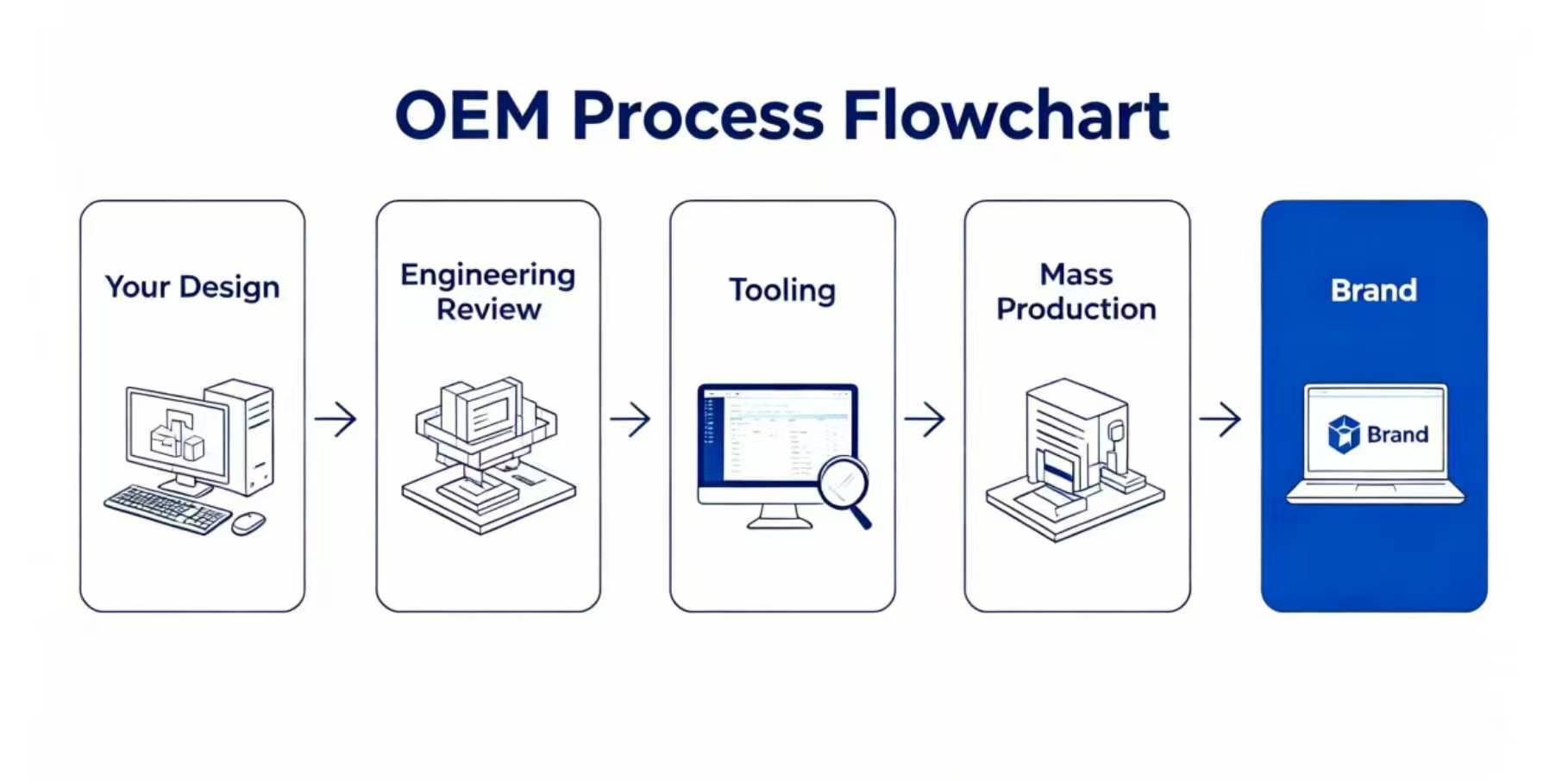
OEM is simply defined as you determine the product and the manufacturer implements it. That means you specify the motherboard layout, CPU platform (Intel or AMD), cooling solution, I/O configuration, enclosure tooling, and firmware behavior for a custom All-in-One PC, t. The factory delivers precision manufacturing—not design decisions.
Pros
- Full IP and design ownership. The product is yours to own legally and commercially. Designs cannot be sourced by competitors
- Maximum customization depth. Everything is designed to your specs from motherboard to chassis molding to BIOS settings. This is crucial for government terminals, hospital kiosks or point-of-sale systems with tight technical requirements.
- Stronger brand equity. A really distinctive product has premium positioning and is harder to commoditise over time.
Cons
- High upfront investment. Tooling, mould development, and engineering validation on a custom All-in-One PC can reach tens of thousands of dollars before production starts.
- Longer time-to-market. OEM cycles are normally many months to over a year from design to validation to certification to manufacturing. This could mean missing the finest seasonal sales opportunities.
- Higher MOQ pressure. Factories generally have higher minimum order numbers so as to amortise development expenses.
ODM All-in-One PCs: Quicker Ramp, Lower Risk
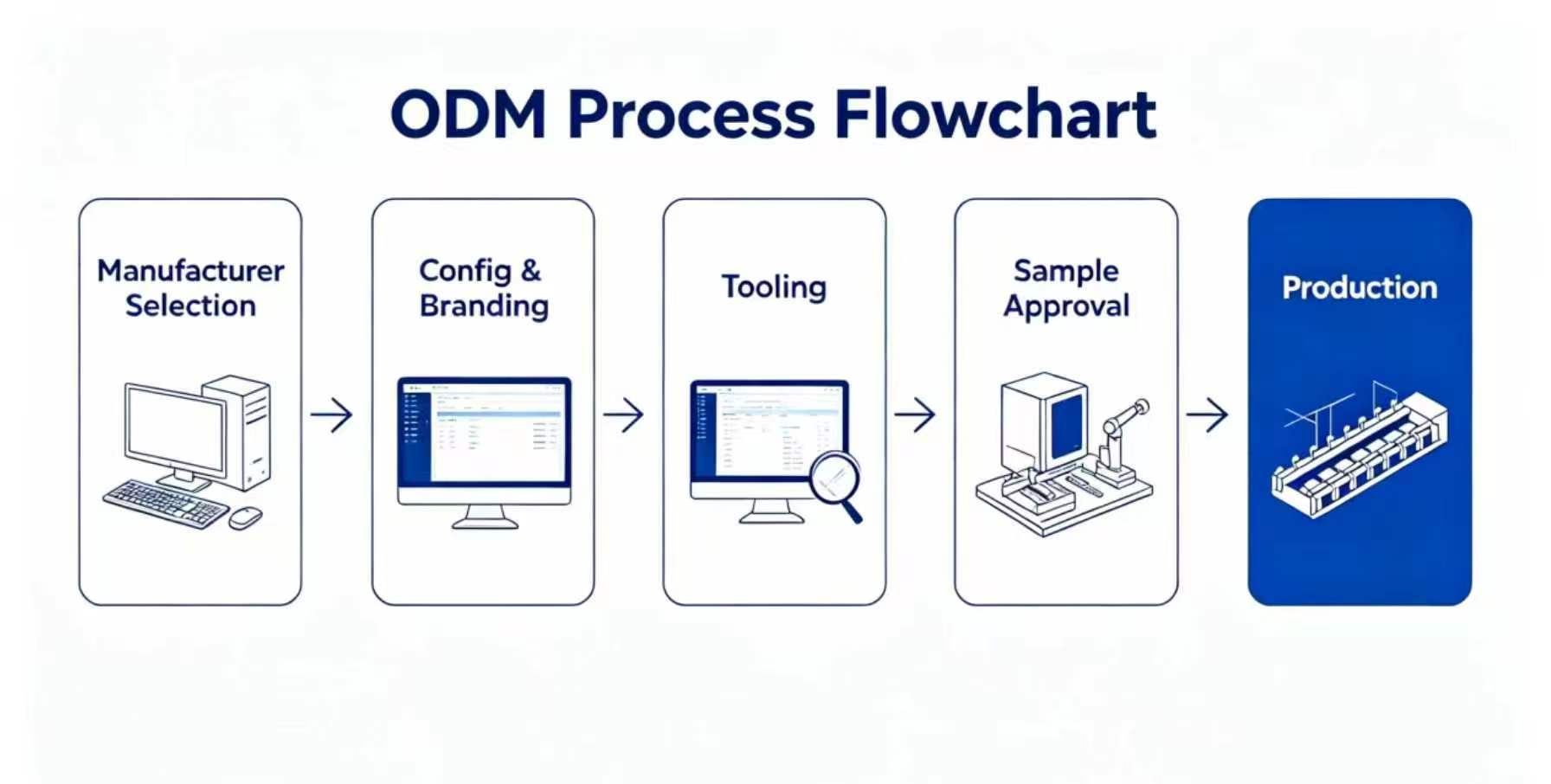
ODM in hardware sourcing means factory has a portfolio of market proven, approved platforms. Select a base, develop the hardware (CPU, RAM, storage, display), add your branding and packaging and ship.
Pros
- Fast time-to-market. From order to shipment, you may get there weeks to a few months typically, no tooling or extensive design validation needed.
- Lower barrier to entry. Lowered or eliminated tooling fees and variable MOQ make ODM accessible to startups, regional distributors and procurement teams with tight delivery windows.
- De-risked production. Tenfly’s ODM platforms are certified with CE, FCC, RoHS, etc. The compliance work has already been done.
Cons
- Limited design exclusivity. Other buyers can acquire the same fundamental platform, making meaningful differentiation harder. If your competitors also choose the same look, you could find yourself in a pricing war.
- Structural constraints. Big changes to the motherboard, thermal architecture or chassis might easily take the project into OEM area.
- IP stays with the manufacturer. You own your brand. We own the underlying hardware design.
Here’s a quick reference for the key differences between ODM and OEM for All-in-One PC projects.
Comparison Table
| Factor | OEM | ODM |
| Intellectual Property (IP) | Buyer owns full IP | Manufacturer owns existing IP |
| Upfront Cost | High (R&D + tooling) | Low (existing platform) |
| Time-to-Market | Long (typically many months to over a year, depending on scope) | Short (weeks to a few months typical) |
| Minimum Order Quantity (MOQ) | Usually higher | Flexible; often lower |
| Customization Depth | Maximum: Board, chassis, firmware, I/O, branding | Moderate: Config, branding, packaging, minor tweaks |
Which Model Is Better for Your All-in-One PC Business?
“Which is better, OEM or ODM?” is a wrong question. The question is what model works for your current stage, budget and go-to-market timeline?
In our own experience with Tenfly, we have seen many successful hardware firms start with ODM to effectively enter the market and demonstrate demand, and then move to OEM as volume, brand equity, and investment in IP justify the shift. Both routes are valid and often complementing over time.
When to Choose OEM?
OEM makes sense if your product has to be truly unreplicable. You are responding to a government or company tender with tight technical standards. You are constructing a proprietary kiosk, POS or medical terminal. You are building a flagship All-in-One PC that supports your brand’s premium positioning. And importantly, you have the R&D resources and a timeframe to allow optimal development.
When to Choose ODM?
For a company launching a first branded product, a regional reseller entering a new market, or a procurement team working against a short delivery window, ODM is always the suggested starting point. The end result is a production ready, certified, branded gadget far faster, at much less risk, when working with a seasoned ODM manufacturer.
Not sure if OEM or ODM is suitable for you? The table below compares typical business scenarios to the best-fit model.
Decision Table
| Business Scenario | Recommended Model & Why |
| Startup or first branded product | ODM—lower risk, faster validation |
| Established brand needing a unique SKU | OEM—full IP, full control |
| Tight delivery deadline / fast launch | ODM—3-5 weeks order to shipment typically |
| Government or enterprise tender with custom specs | OEM—engineering to exact specification |
| Budget-constrained project | ODM—minimal tooling, flexible MOQ |
| Long-term IP protection strategy | OEM—own the blueprint entirely |
| Education or business deployments (volume) | ODM—pre-certified, mass deployment-ready |
| High-performance workstation or visualisation build | OEM or ODM—27” high-spec platform available |
5 Things to Check Before Choosing Any All-in-One PC Manufacturer
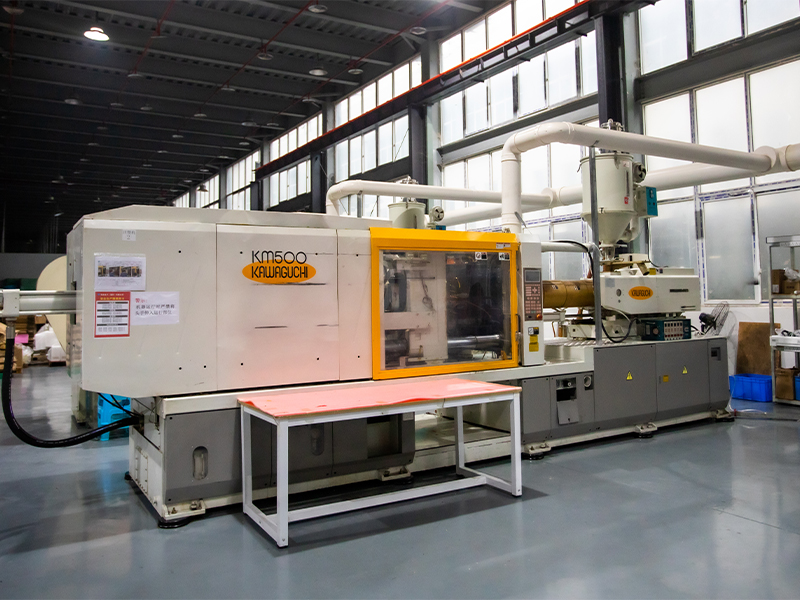
All-in-One PCs bundle the motherboard, display, cooling and chassis into a single unit—which means greater engineering complexity than a typical desktop, and the proper manufacturing partner is more important as a result. Before you commit to any supplier, run through these five checks.
1. Certifications that match your target market
CE, FCC, and RoHS are the baseline, but verify they apply to the specific AIO form factor you’re sourcing, not just a related product line. Education and government procurement often requires additional certifications (BIS, specific EMC requirements). Insist on seeing the real test reports, not just a logo on a website.
2. MOQ flexibility across both pilot and scale
A trusted partner must offer the same level of professionalism for a 50-unit validation run as for a 5,000-unit mass production contract. A mark of limited flexibility and often an indication that they are not used to helping brand partners through product validation is having factories that are not able to accommodate tiny initial orders.
3. Real depth of customisation
Ask beyond branding. Can they customize the processor platform, thermal solution (fanless vs. active cooling), I/O configuration, and BIOS settings? The answers to these questions will show the true technical capabilities of the factory, and for AIO hardware, surface-level customisation is not adequate
4. After-sales and spare parts logistics
When deploying for an organization or government, reliability after delivery is as important as the product itself. Make sure the manufacturer has a warranty process and can support spare parts availability in your target markets. This is where cheaper providers often fall down.
5. A physical sample and documented case studies
Always evaluate a unit before committing to production. Ask for case studies relevant to your sector—education, finance, government. Manufacturers with genuine AIO experience will have them. If they can’t show reference projects, treat that as a red flag.
Why Tenfly: A Direct Answer to Each Criterion
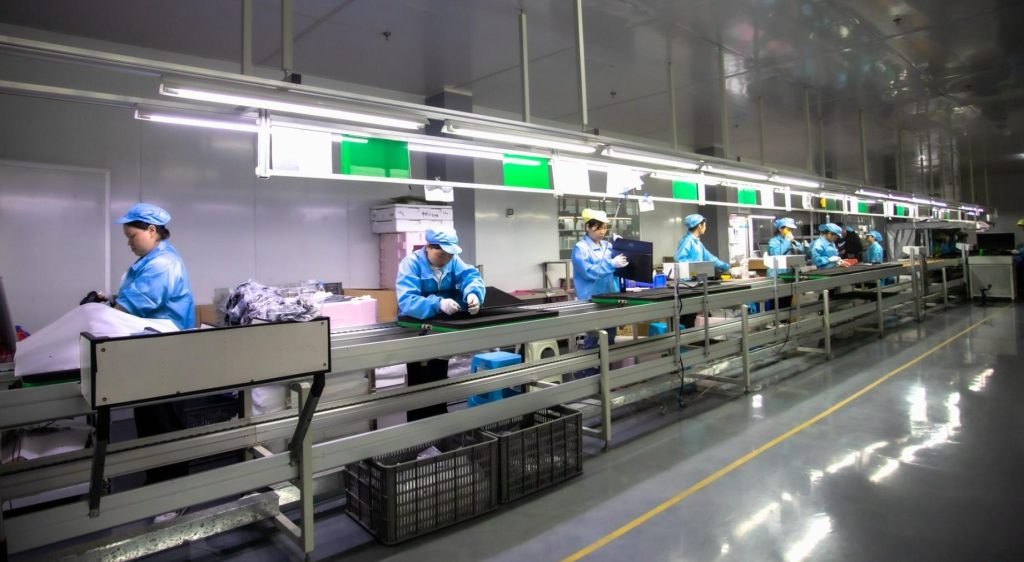
As a manufacturer with 30 years of experience, we apply the same checklist to Tenfly. Here’s where we stand.
- Certifications: CE, FCC, RoHS, CCC, and ISO compliance across all three AIO form factors (21.5”, 23.8”, 27”). Three manufacturing bases, all compliant with ISO, CE, and CCC standards. Test reports available on request.
- MOQ flexibility: We support pilot runs from 50 units through to deployments of 10,000+. Monthly capacity across our three facilities is 20,000 units. Small orders don’t get deprioritised.
- Depth of customisation: 50+ experienced in-house R&D engineers covering hardware configuration, motherboard OEM, mechanical structure, brand identity, dual OS support (Windows/Android), and co-development. Customisation goes down to BIOS settings, I/O layout, and thermal architecture—not just logo placement.
- After-sales: A dedicated after-sales team handles warranty, technical support, and spare parts logistics across 20+ export countries.
- Sample and cases: Customised sample units available. Reference projects include Lenovo (custom AIO), Envision (OEM monitor), as well as education and finance deployments across multiple markets.
The Right Model Starts with the Right Partner
Understanding the pros and cons of OEM and ODM ultimately comes down to knowing where your business stands today and where it needs to go. Many successful hardware brands start with ODM to reach market efficiently, and later migrate to OEM as they build the IP, volume, and brand equity to justify the investment. Neither model is inherently superior. The right one is the one that matches your current reality.
If you’re designing a custom All-in-One PC for a nationwide rollout or sourcing your first branded SKU, the appropriate manufacturer partner might mean the difference between a smooth launch and a costly lesson.
Already know the direction you’re headed in? Learn more about our OEM/ODM services or browse the All-in-One PC series and request a custom recommendation based on your needs.
Contact Tenfly today for a free consultation.
