
What is the Difference Between Interactive Flat Panels, & How to Choose?

Daisy Li
Display Solutions & Product Technology Expert
Specializing in OEM/ODM smart display solutions from 21.5″ monitors to 110″ interactive flat panels, with expertise in product configuration, system integration, quality control, and bulk project delivery for global B2B markets.
Follow me:
If you are selecting a screen for your classroom or boardroom, you have probably come across terms such as “Smart Board,” “Interactive Whiteboard,” and “IFP.” Most individuals waste thousands of dollars purchasing a “glorified TV” while in reality, they require an interactive collaboration tool or vice versa.
Interactive Flat Panel vs Smart TV vs Projector: What’s the Difference & How to Choose?
| If you need | The Best Choice is | Why |
| Interactive teaching & heavy student usage | Interactive Flat Panel (IFP) | Toughened glass, multi-touch, and built-in educational apps. |
| Simple screen mirroring in a small office | Smart TV + Wireless Dongle | Cheapest option; high brightness but no touch capability. |
| Massive display (100″+) on a tight budget | Interactive Projector | Best “price-per-inch,” but requires a dark room and maintenance. |
What Is the Difference Between Interactive Flat Panels? It’s Not Specs—It’s How They Actually Work in Real Use
An interactive flat panel (IFP) is essentially a large-screen computer that allows you to “write, touch, and support multi-user interaction”. The biggest difference from a TV: a TV is for “watching”, while an IFP is for “using”. It typically features:
- Touch control (supports multiple users simultaneously)
- Built-in system (similar to a computer)
- Whiteboard/annotation/screen casting
- Supports meeting software (Zoom / Teams)
| Feature | Interactive Flat Panel | Smart TV | Projector |
| Touch Operation | Supports multiple users | Not supported | Not supported |
| Usage Method | Write + present + interact | Viewing | Projection |
| Brightness | High (works in any environment) | Medium | Low (sensitive to light) |
| Installation | Plug and play | Plug and play | Requires setup |
| Collaboration Capability | Very strong | Very weak | Very weak |
| Suitable Scenarios | Teaching / meetings | Display | Large spaces |
IFP vs. Smart TV: Why You Can’t Just Buy a 75” Sony?
Many managers reason, “Why invest $3,000 in an IFP when a 75-inch TV costs me just $800?” * The “Writing” Experience: TVs are designed to be viewed. IFPs are equipped with infrared or capacitive touch technology. If you want to write on your IFP, it’s akin to writing with a marker on a whiteboard. On a TV, if it even allows, it feels as though you’re scraping mud on its surface.
- Durability: IFPs come inbuilt with glass that uses 7H Mohs hardness. When used in a classroom environment, any pen that accidentally brushes against a TV screen can shatter it. An IFP will survive any such assault.
- OS: Most IFPs come with “dual OS” (both Android built-in, with Windows OPS slot). No need to plug in laptops before starting meetings.
Interactive Flat Panel vs Smart TV vs Projector: How to Choose?
Classroom (School / Training) — Choose a 75–86 inch Interactive Flat Panel with a mobile stand, no hesitation
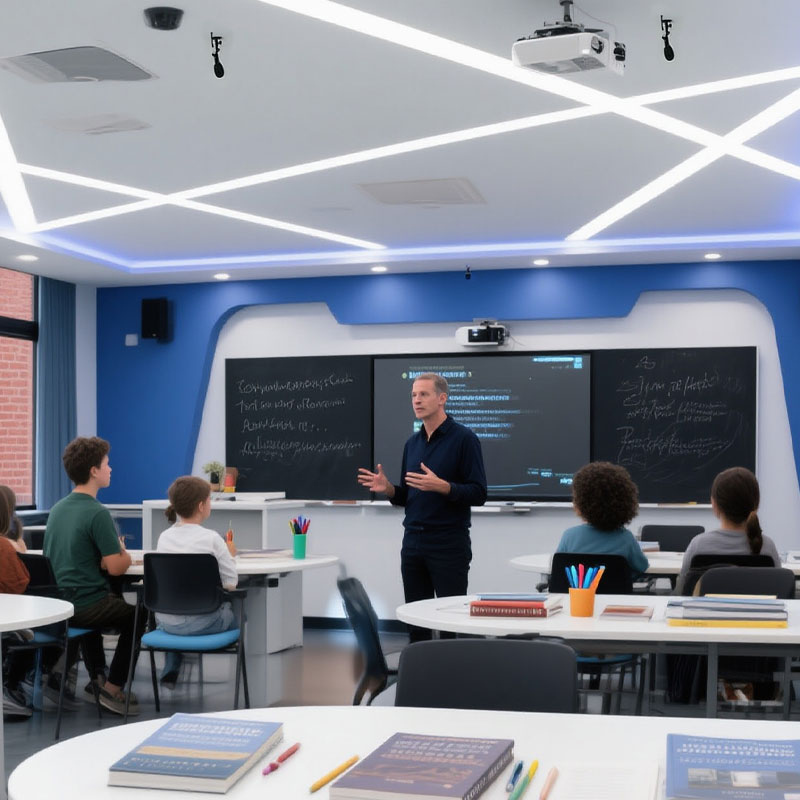
In a school setting, the “difference” isn’t the hardware—it’s the interaction.
- Palm rejection: Mandatory. The students rest their hands on the board while writing. Without this feature, the display goes berserk.
- Eye protection: Look for low blue light and anti-glare coating certified by TÜV. Students have to look at it for six hours a day.
- Software: Does it include a “Whiteboard App” that enables users to save notes in a QR code? It saves teachers 15 minutes of “copying notes” time each day.
Meeting Room: Small Meetings (<10) — Mobile Stand IFP / Smart TV; Medium–Large Meetings (10–30) — 65-Inch IFP
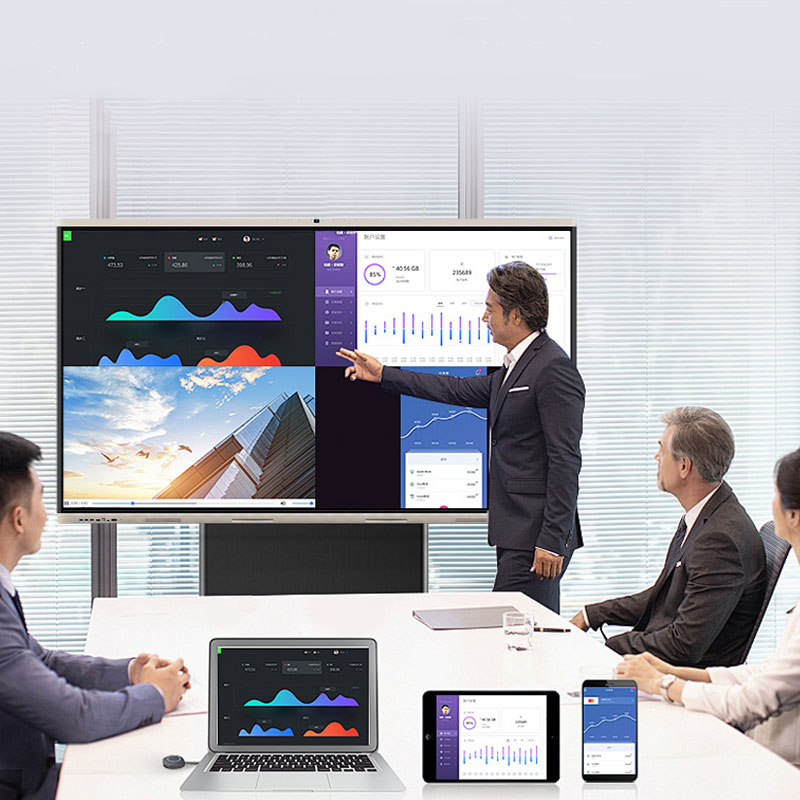
In the boardroom, it’s all about connectivity.
- BYOD (Bring Your Own Device): The IFP must support 4-way split screens (AirPlay, Chromecast, Miracast) effortlessly.
- Video Conferencing: Look for an IFP with a built-in 4K camera and 8-mic array. A separate camera setup is a cable nightmare.
- Security: Can it securely join your corporate Wi-Fi? Check for “Enterprise-level” encryption.
Corporate / Training: 98-Inch IFP Is the Best Choice
、培训机构.jpg)
Your top concern: dependability round-the-clock, brightness, and ease of content control without the need for continuous maintenance. Suitable technology: IFP or smart TVs (projections would be too dim in bright environments).
- Interactivity with explanation and recording capabilities combined
- Training content can easily be stored
- Enhances engagement
The “Hidden” Differences: Things Salesmen Won’t Tell You
- Latency Is Important: The top-end IFP devices have less than 8ms latency. Anything more will be laggy, and the users won’t use the touch function anymore.
- Bonding Technology: Specify “Zero Bonding” or “Optical Bonding.” This removes the air gap between the glass surface and the LCD, allowing for better touch precision and improved image clarity when viewing from the side angle.
- “Lamps” Versus “LEDS”: In contrast to the projector system, where replacement bulbs would cost thousands every two thousand hours, an IFP will last fifty thousand hours.
