
Why NFC Login Makes Shared Interactive Displays Easier to Use?

Daisy Li
Display Solutions & Product Technology Expert
Specializing in OEM/ODM smart display solutions from 21.5″ monitors to 110″ interactive flat panels, with expertise in product configuration, system integration, quality control, and bulk project delivery for global B2B markets.
Follow me:
Imagine a teacher stepping into a classroom, tapping their ID card on the display and they are ready to teach within seconds. No password to enter, no shared login to remember, no waiting. That is what NFC login brings to shared interactive displays, and it is a change that more schools and businesses are beginning to notice.
This article looks at why logging in on shared interactive displays has been a persistent problem, how NFC authentication works in practice, what it actually changes day to day, and what to keep in mind on the security side.
The Login Problem with Shared Interactive Displays
This is a pain anyone who has managed technology in a school or office knows. In a classroom or meeting room, dozens of people might utilize an interactive display throughout the course of a day.
Most organizations don’t want everyone sharing one account, because that removes any sense of personal workplace or accountability. But requiring each user to write a whole password whenever they approach the display generates genuine friction, particularly when classes are about to begin or meetings are running late.
The typical workaround is a shared account with a short password everyone knows. It keeps things going but it also means that there is no record of who did what, and no easy method for individual users to get at their own files or settings. Many interactive display makers are working to eliminate this sort of login barrier, and NFC is one option for making authentication faster on shared devices.

How Does NFC Login Work on an Interactive Display
NFC, or Near Field Communication, is a technology that allows two devices to share data when they are in close proximity, often a few centimetres.
On some interactive displays, the NFC authentication process works something like this: The user holds his or her NFC-enabled card or badge near a reader incorporated into the display, the system reads the credential and, depending on the setup, authenticates the user and gives them access to their account or workspace. The whole thing takes a second or two. When they are done, the session ends manually or through an automatic timeout.
It is worth noting that not all interactive displays implement NFC login in the same way. How it works depends on the manufacturer, the software platform, and how the authentication service is configured on the back end.
To put this in context, here’s a comparison of NFC to other common login methods you’d expect on shared screens, from the perspective of user experience, ideal use cases, and limitations.
| Login Method | User Experience | Best Fit | Main Limitation |
| Password | Manual entry | Personal or occasional use | Slow on shared devices |
| QR Code | Scan with phone | Temporary or mobile access | Requires a phone |
| NFC | Tap to authenticate | Frequently shared displays | Requires compatible hardware/system |
| Shared account | No individual login | Simple deployments | Limited personalization and accountability |
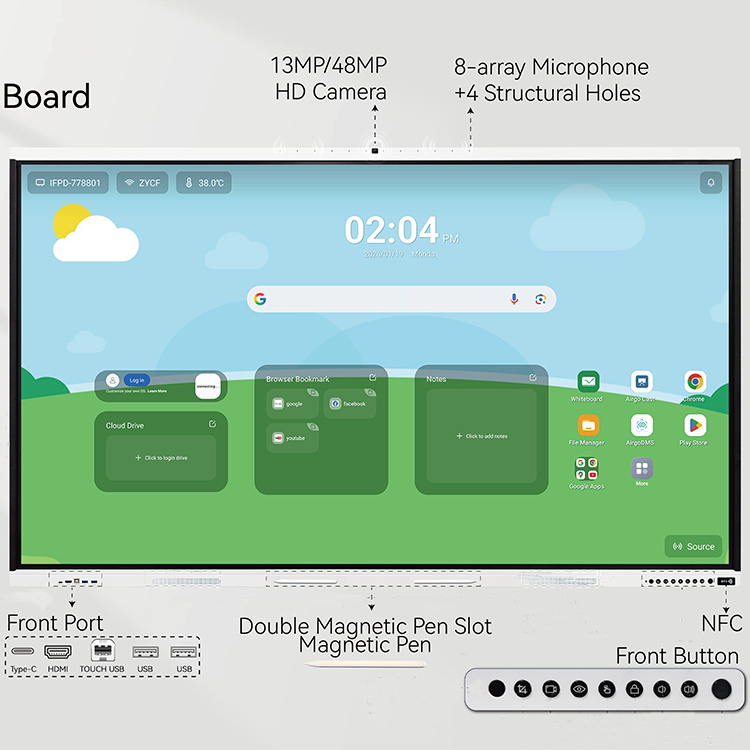
The same NFC-based interaction is also being used in newer interactive displays for simpler device access and collaboration. For example, Tenfly‘s HW Series combines NFC functionality with wireless collaboration, allowing users to connect to the display and get started with a simple tap.
What NFC Changes for Shared Displays
The value of NFC login goes beyond just saving a few seconds. It is worth looking at what genuinely changes when you move away from typed passwords on shared screens.
- Less time spent typing: In a classroom setting, having teachers or students type passwords before each session adds up over a week. NFC login removes that step entirely, so lessons can start on time and handoffs between users stay smooth.
- Personal access without changing the shared device: Each user logs in with their own credential, which means they get their own files, preferences, and apps, even on a screen that ten other people use throughout the day. The display stays shared; the experience becomes personal.
- A more consistent classroom or meeting workflow: A quick login becomes part of the normal workflow rather than an interruption. That’s exactly where it should be, and that’s where users stop thinking about it.
Security Considerations for NFC Login
NFC is convenient, but the convenience only holds up if the system around it is built thoughtfully. A tap-to-login experience is only as secure as the account management and infrastructure behind it.
When thinking about how to secure shared devices with NFC authentication, here are the things worth checking:
Use separate user accounts rather than sharing an account. Each person should have their own credential linked to their own account, so there is a clear record of who accessed what and when.
Ability to disable missing cards or credentials. If someone loses their NFC badge, administrators need to disable it quickly without disrupting anyone else.
Automatic logout or session timeout. In case the user leaves without logging out, the system should automatically log off the user after a certain period of inactivity.
Secure communication between the display and authentication service. Data exchanged during login should be encrypted to prevent interception.
Centralized user and device management where multiple displays are deployed. In a school or organization with displays across many rooms, managing access from one place matters both for security and for keeping things practical day to day.
NIST Special Publication 800-63B is a useful reference for authentication and session management when evaluating an NFC-based login system.
Where Does NFC Login Fit Best
NFC-based shared device authentication is not the right choice for every situation, but there are a few environments where it tends to make a real difference.
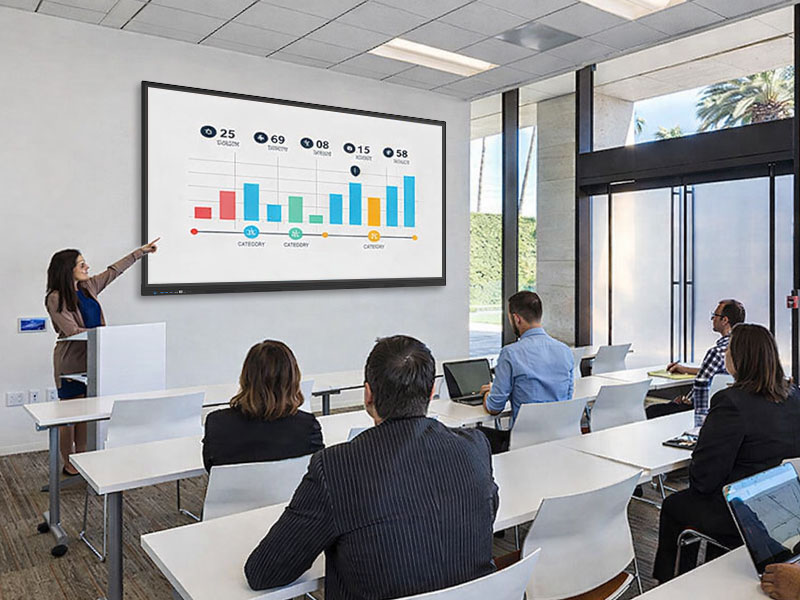
Schools and training rooms are likely the best use cases. In education, passwordless authentication solves a very specific need. Teachers travel between classrooms, replacements need quick access, and students may rotate via shared devices in lab sessions. In these environments, NFC login can reduce the need for users to enter or remember passwords on shared displays.
Meeting and conference rooms benefit differently. People walk in from different teams, connect different devices, and expect things to work without setup time. NFC login allows everyone to quickly bring up their individual workspace on a shared screen without delaying the start of a meeting.
Other common shared workspaces such as training centers, libraries, or public service desks confront similar issues. Any situation where numerous individuals use the same screen throughout the day can benefit from authentication that’s faster, more personal, and easier to track than a common password.
Final Thoughts
NFC login doesn’t eliminate all the challenges that come with shared interactive displays, but it does tackle the one that tends to upset people most: Getting started. Quick, personal and dependable login means less time on set up and more time on the work or instruction that really matters.
Contact Tenfly today for a free consultation.