
Why USB-C Is Becoming Increasingly Important for Interactive Displays

Daisy Li
Display Solutions & Product Technology Expert
Specializing in OEM/ODM smart display solutions from 21.5″ monitors to 110″ interactive flat panels, with expertise in product configuration, system integration, quality control, and bulk project delivery for global B2B markets.
Follow me:
You enter into a conference room ready to present and the last thing you want is to spend the first few minutes looking for the right cable. But this is exactly what is happening in many communal places. Someone has a modern laptop that doesn’t have a full size HDMI connector, the USB cable for touch doesn’t reach, or the power adapter is in another room.
Interactive displays place more demands on connectivity than regular monitors. They need to handle video input, touch data, and sometimes device power all at once, which is why more buyers are paying closer attention to USB-C display options when choosing their next panel.
This article walks through what USB-C can actually do for an interactive display, where it helps the most, and what to check before you buy.
Why Connecting an Interactive Display Can Be Complicated?
A standard monitor usually needs one cable for video and that’s mostly it. An interactive display is a different story. A full traditional setup might require:
- HDMI or DisplayPort: for video signal
- USB cable: for touch and peripheral data
- Separate power: to charge the connected laptop
- Multiple cables: more steps, more clutter, more things to troubleshoot
The problem isn’t that HDMI is a horrible interface. The thing is that interactive displays do many things at once: presenting, touching, collaborating etc. So naturally the connectivity requirements are larger.
The challenge gets bigger in shared spaces. In a meeting room, different employees arrive with different laptops. In a classroom, teachers switch devices between lessons. In a training room, outside presenters need to connect with no IT support nearby. A cable setup that works fine at a fixed desk can become a real friction point when everyone brings different hardware and needs to get started fast.
What USB-C Can Do for an Interactive Display?
USB-C is a standard for connectors, and it can carry different forms of data on a single cable depending on how it is implemented. In theory, one USB-C cable may carry on a properly equipped display and source device:
- Video signal via DisplayPort Alt Mode
- Touch and peripheral data via USB protocol
- Power delivery to charge the connected laptop
- Audio output
The essential words are “if implemented properly.” Not every USB-C port has all of these features. What you can actually do depends on both the implementation of the display and the capability of the source device.
When everything is working smoothly a USB-C one cable connection means: plug in the laptop and you’re ready to show, teach or collaborate without touching anything else. That’s the core value here, fewer steps between arriving and getting started.
5 Ways USB-C Makes Interactive Displays Easier to Use
1. Faster setup for presentations and classes
One cable connection means less time getting set up, and more on the real work. This is important when you’re in back-to-back meetings or going between lessons and every minute counts.
2. Less dependence on adapters
Thinner laptops have largely dropped full-size HDMI ports. With USB-C display connectivity, users with compatible laptops can often connect directly without carrying an extra video adapter.
3. Easier BYOD and device switching
On shared desks where people use their own laptops, a USB-C connector is a common connection point for everyone, without having to dig thru a drawer of diverse connections.
4. Better compatibility with modern laptops
Many of the latest laptops use USB-C for communication, and some even use USB-C as their primary visual output. It sits on an interactive display that helps to keep the panel up to date as the gadgets surrounding it keep improving.
5. More flexible connectivity over time
Interactive displays are typically a long-term investment, so supporting current and emerging connectivity standards can help extend their usefulness. HDMI and USB-A are still around, but supporting USB-C in addition to those is more flexible as devices move thru generations.
Where Does USB-C Make the Biggest Difference?
Meeting rooms
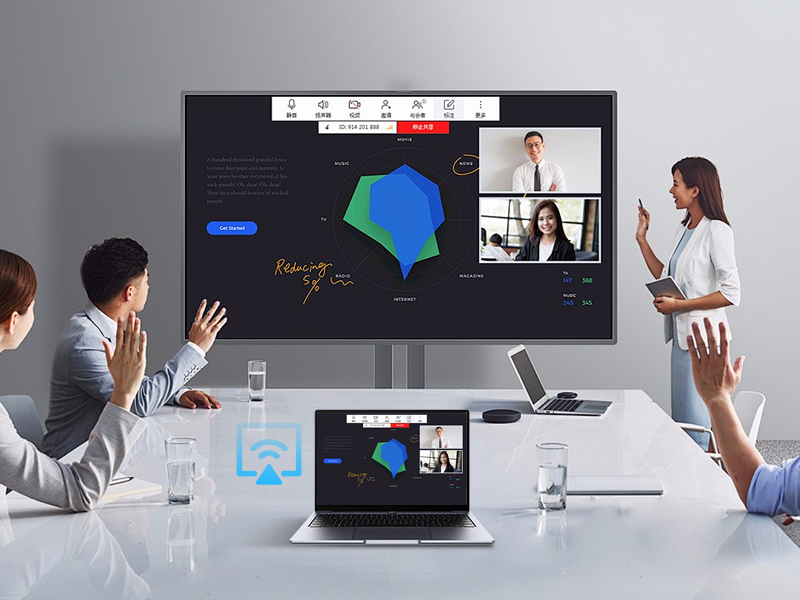
When different employes bring different laptops to the same screen, USB-C can reduce the “does anyone have an adapter?” moment that can delay meetings and makes IT support requests less frequent.
Classrooms and training rooms
Teachers and trainers are typically not technical users. Fewer wires means fewer connection problems to sort out during the course, and keeps the lecture flowing.
Flexible workspaces
A shared desk or co-working environment allows any user to sit down and start to work fast, with just one USB-C cable on the desk.
What to Check Before Choosing a USB-C Interactive Display
“Has USB-C” on a spec sheet doesn’t mean much on its own. Before committing to a purchase, verify exactly what that USB-C port actually supports:
| USB-C feature to check | Why it matters |
| Video input | Determines whether the display can receive video through USB-C |
| Touch/data | Determines whether touch and USB peripherals work through the same cable |
| Power Delivery | Determines whether the display can charge the connected laptop |
| Charging wattage | Shows how much power the display can actually provide |
| DisplayPort Alt Mode support | Determines whether the USB-C port can carry video from a compatible source device |
| Other ports (HDMI, USB-A, RJ45. etc.) | Provides backup and compatibility for different devices and use cases |
A USB-C port does not automatically mean full one-cable functionality. It’s worth verifying each capability directly with the manufacturer before purchasing.
It’s also crucial to note that USB-C should be one of several options, not the only way to connect. A good interactive display will offer a number of interactive display connecting options, so users with older computers, certain peripherals or network requirements aren’t left out in the cold. Interfaces such as HDMI, USB-A, and RJ45 still matter in real-world deployments, especially in situations where various workers are connecting different devices on a daily basis.
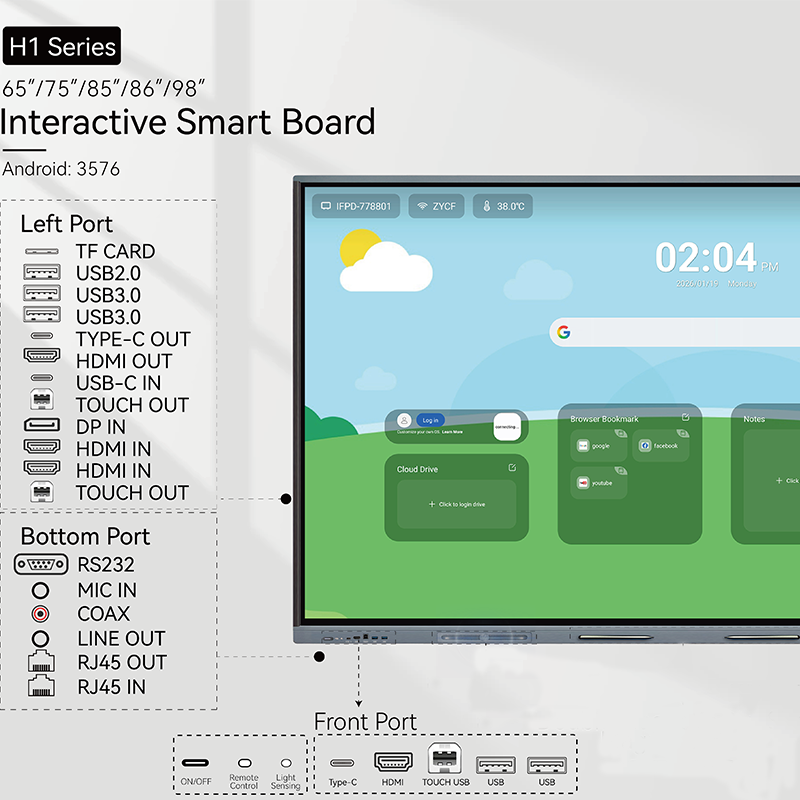
This is also why Tenfly interactive flat panels provide USB-C in addition to HDMI, RJ45, RS232 and other interfaces, so users have constant access regardless of the device they bring. A good starting point for anyone considering a classroom, conference room or training space is Tenfly‘s interactive display range.
Final Thoughts
USB-C won’t fix all of the connectivity difficulties, but it does address some major pain points in shared, multi-device situations. If your organization is in the market for its next interactive display, it’s worth asking: does this panel facilitate USB-C in a way that really cuts down on setup processes for our users?
The key is what features the USB-C port provides and whether they match the devices your users depend on. Make sure you check the specs before you buy.
If you are installing new or refreshing current equipment, contact us to discuss which configuration best fits your environment.
Contact Tenfly today for a free consultation.