
Why Do Monitors With the Same Panel Have Huge Price Differences?

Daisy Li
Display Solutions & Product Technology Expert
Specializing in OEM/ODM smart display solutions from 21.5″ monitors to 110″ interactive flat panels, with expertise in product configuration, system integration, quality control, and bulk project delivery for global B2B markets.
Follow me:
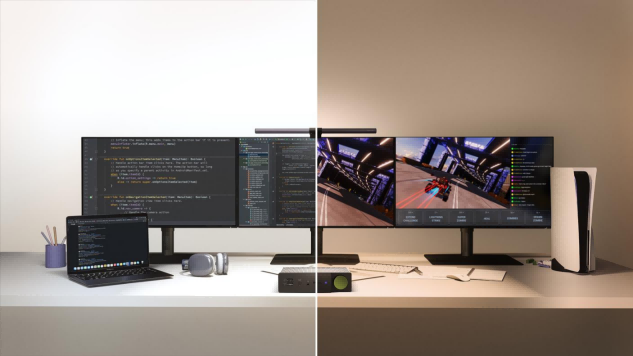
The specifications look almost identical on paper (such as 4K, IPS, 144Hz, HDR support). They all claim to use an “LG panel,” “BOE panel,” or “AUO panel,” yet some monitors sell for only a few hundred yuan, while others can sell for thousands or even over ten thousand yuan. For example, LG’s classic Nano-IPS, or a certain flagship 4K panel from BOE, costs only about 1,500 RMB when used by second- or third-tier brands. However, when switched to premium models from ASUS ROG, Dell, or LG’s own high-end lines, the price directly skyrockets to 3,500 RMB or even higher.
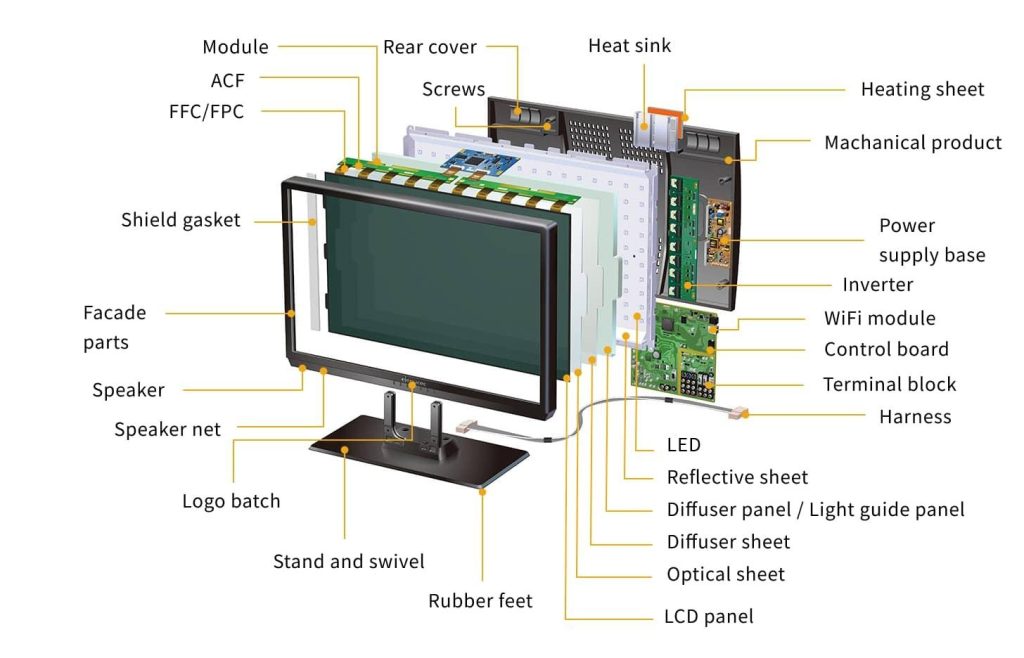
The panel (Cell) is like the “core raw ingredient” of cooking; it is simply the “bare screen body” that determines the lower limit of a monitor, but it does not equal the entire monitor. How delicious and exquisite this dish can be made still depends on the chef’s seasoning (driver board, backlight), the plate (build quality), and the service. This is exactly why monitors with the same panel can have a massive price difference.
Core Monitor Specs “Hierarchy”
Before diving into the hidden costs, it helps to understand how the three foundational pillars of monitor performance stack up, ranked from entry-level to top-tier:
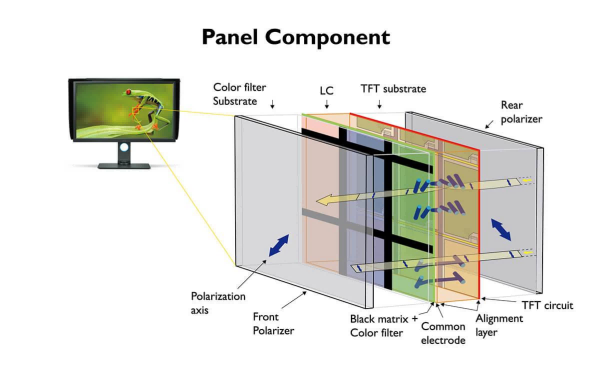
- Panel Array & Type (The Foundation of Picture Quality & Viewing Angles): TN (Edge of Obsolescence) ──> VA (High Contrast but Prone to Ghosting) ──> IPS / Fast-IPS (The All-Around Mainstream) ──> Mini-LED / OLED (The Picture Quality Ceiling)
- Refresh Rate (Determines Motion Smoothness): 60Hz – 75Hz (Office / Basic Design) ──> 144Hz – 180Hz (Mainstream Gaming Sweet Spot) ──> 240Hz – 360Hz+ (Hardcore & Pro Esports Enthusiasts)
- Color Gamut Width (Determines Color Richness & Abundance): sRGB (Standard Web/Internet Baseline) ──> DCI-P3 (Cinematic Grade, Vibrant & Saturated) ──> Adobe RGB (Professional Printing / Advanced Photography)
The 5 Dimensions of the Price Gap: What Does Extra Money Buy?
Setting aside the basic parameters, the price gap among monitors with the same panel fundamentally comes from five core configuration differences. These include the backlight module, driver board and control chips, exterior design and build quality, quality control and after-sales service, as well as brand premium and market positioning.
Here is the organized and concise breakdown of the monitor dimensions based on your provided text:
1. Backlight Module
- Impact Dimension: Core root cause of image quality variance on the same panel
- Tier Distinction: Standard Blue LED < Wide Color Gamut LED < Quantum Dot < Mini-LED Local Dimming
- Distinctive Features: Budget models use standard edge-lit or conventional backlights for basic brightness (250–300 nits). Premium models adopt advanced original factory backlights or Mini-LED matrix local dimming, pushing peak brightness past thousands of nits for hardware-level HDR (“blacks are deep and brights are vivid”).
- Must-Have / Highly Recommended: 3A gaming masterpieces enthusiasts, HDR audio-visual fevers
2. Driver Board + Control Chip
- Impact Dimension: Determines “response speed” and “color accuracy”
- Tier Distinction: Generic Solution < Optimized OD Tuning < Hardware Calibration Chip < G-Sync Hardware Chip
- Distinctive Features: High-end models feature built-in high-precision 3D LUT tables and undergo factory per-unit color calibration to ensure precision ($\Delta E < 2$). Premium models also integrate high-cost Type-C all-in-one chips (65W–90W reverse charging) for single-cable 4K video and power delivery.
- Must-Have / Highly Recommended: Apple Mac or ultrabook office workers (seeking a clean desk), professional designers
3. Exterior Build + Materials
- Impact Dimension: Gap in texture and durability
- Tier Distinction: Generic Plastic Mold + Fixed Stand < Custom Mold Slim Bezel + Basic Height Adjustment < Full-Featured Stand + Metal Chassis
- Distinctive Features: Entry-level models offer basic housing rigidity for fixed placement. Mid-to-high-end models invest in mold precision and thermal channel design (extending panel lifespan), and feature full-featured ergonomic stands supporting smooth lifting, left-right swiveling, and vertical pivot adjustment.
- Must-Have / Highly Recommended: Users intending to use the original stand directly on the desk and facing the computer for long hours to protect their cervical spine
4. QC + After-Sales Service
- Impact Dimension: Invisible insurance policy
- Tier Distinction: Zero Dead Pixel Guarantee + On-Site Replacement > Guaranteed to Turn On Only + Mail-In Repair > No After-Sales
- Distinctive Features: Flawless factory-graded panels command higher supply chain costs. High-end models execute stricter quality control, offering a “Perfect Screen Guarantee (no bright/dead pixels)” alongside 3–5 years of on-site warranty. Value models follow industry general standards for dead pixel tolerance and rely on mail-in repair.
- Must-Have / Highly Recommended: Enterprise procurement, peace-of-mind seekers, perfectionists who cannot tolerate any pixel defects
5. Brand Premium + Market Positioning
- Impact Dimension: Hardware and software ecosystem
- Tier Distinction: Off-Brand / White-Label < Tier-2 Gaming Brands < Tier-1 Mass Market Brands < ROG/Alienware/Apple
- Distinctive Features: High-end brands/series (professional office or gaming focus) include proprietary in-house color management software, window-splitting tools, and licensing fees for hardware chips like native G-Sync, delivering a comprehensive software ecosystem and overall stability.
- Must-Have / Highly Recommended: Users seeking ecosystem integration, brand value, and maximum software stability
Scenario-Based Feature & Budget Matrix
To ensure you don’t overpay for gimmicks, use this comprehensive matrix to map out your specific use case into Must-Haves (The Baseline), Recommended (The Upgrades), and Skippable (Cost-Cutters) features.
| Use Case Scenario | Recommended Budget | Must-Haves(The Baseline) | Recommended(Experience Upgrades) | Skippable(Cost-Cutters) |
| Daily Office / Online Classes / Casual Media Streaming | $120 – $220 (Practical & Budget-Friendly) | Eye-Care Tech: Hardware low-blue light + DC dimming to prevent eye strain.No Severe Backlight Bleed: Clean dark scenes under normal ambient lighting.Accurate Baseline Colors: 100% sRGB color gamut coverage.Standard Connectivity: HDMI/DP ports matching your PC or laptop. | 75Hz – 100Hz Refresh Rate: Noticeably smoother web scrolling and spreadsheet dragging.Basic Adjustable Stand: Tilt adjustments to ease neck pressure.Reputable Brand Warranty: Standard 3-year local warranty from a known manufacturer. | 240Hz+ extreme esports refresh rates.Adobe RGB professional wide color gamuts.FALD / Mini-LED dense local dimming.Premium gaming aesthetic markups. |
| Esports Gaming / 3A Masterpieces / Console Gaming | $180 – $500 (Prioritizes Speed & Motion Clarity) | Native High Refresh Rate: At least 144Hz – 180Hz (240Hz+ for competitive esports).Quality Driver Tuning: Faster pixel response with native FreeSync/G-Sync compatibility.Zero Obvious Ghosting: Fast-IPS, high-tier VA, or OLED panels to eliminate motion blur.Stable Frame Delivery: Excellent frame pacing and sync performance from the logic board. | Ultra-Low Input Lag: Minimal delay between peripheral click and on-screen action.Dark Stabilizer / Black Equalizer: Game-specific algorithm to spot enemies in dark spots without overexposing highlights.Optimized Thermals: Custom heatsinks to prevent panel degradation or throttling.Fully Ergonomic Stand: For adjusting to the ideal gaming posture. | Extreme $\Delta E < 1$ print-grade color precision.Studio-grade hardware calibration software.Office-centric KVM multi-device switches.High-end design-focused brand markups. |
| Graphic Design / Video Editing / Post-Production | $300 – $750+ (Demands Color Precision & Uniformity) | Strict Color Accuracy: Out-of-the-box $\Delta E < 2$ ($\Delta E < 1.5$ preferred) to ensure colors translate perfectly across devices.Wide Gamut Coverage: 100% sRGB and $\ge$ 95% cinematic DCI-P3 or Adobe RGB.Color Stability: Premium power/backlight engineering to prevent color shifting over extended work sessions.Factory Calibration: Included individual per-unit calibration report. | Gamut Clamping / sRGB Mode: Built-in color space limiting toggle to prevent web content from looking oversaturated/neon.Brightness Uniformity Compensation: Minimal variance across the entire screen panel to prevent false editing.Zero Dead Pixel Guarantee: A flawless canvas free from distracting stuck pixels. | 360Hz+ extreme gaming refresh rates.In-game crosshairs, timers, or gaming overlays.Rear-facing RGB ambient gaming lighting. |
Contact Tenfly today for a free consultation.