
How to Choose Between an Interactive Whiteboard and an Interactive Flat Panel
Choosing the right interactive display is a critical decision for education institutions, enterprises, and commercial projects. While many buyers start by comparing specifications, successful projects are usually built on a clearer understanding of who is making the decision, how the system will be used, and what the project expects over time.
This guide explains how to choose between an interactive whiteboard and an interactive flat panel from a practical, role-based perspective, helping different buyers make confident and informed decisions.

Who Is Making the Decision? Understanding Buyer Roles
In most B2B projects, interactive displays are not purchased by a single person. Each stakeholder evaluates the solution from a different angle.
Project Owners / Decision Makers
Focus on budget control, durability, and long-term value.
End Users (Teachers, Trainers, Office Staff)
Care about ease of use, responsiveness, and daily experience.
System Integrators
Evaluate installation complexity, system compatibility, and service workload.
Distributors & Resellers
Look for scalable product lines, stable supply, and market positioning.
Understanding these roles is the first step toward selecting the right interactive display technology.
5 Steps to Choose the Right Interactive Display
Step 1: Define Project Priorities Before Comparing Products
Before choosing between an interactive whiteboard and an interactive flat panel, buyers should clarify their project priorities.
Budget Structure
- Is the project focused on initial purchase cost?
- Or is long-term operational cost more important?
Interactive whiteboards typically offer a lower entry price, while interactive flat panels require higher upfront investment but reduce long-term maintenance and replacement costs.
Performance Expectations
If the project demands high image clarity, fast touch response, and modern collaboration features, interactive flat panels usually provide a more consistent experience.
Deployment Scale
Large deployments may favor solutions that simplify installation and standardization across multiple rooms or sites.
Step 2: Evaluate the Environment and Usage Pattern
Room Size and Lighting Conditions
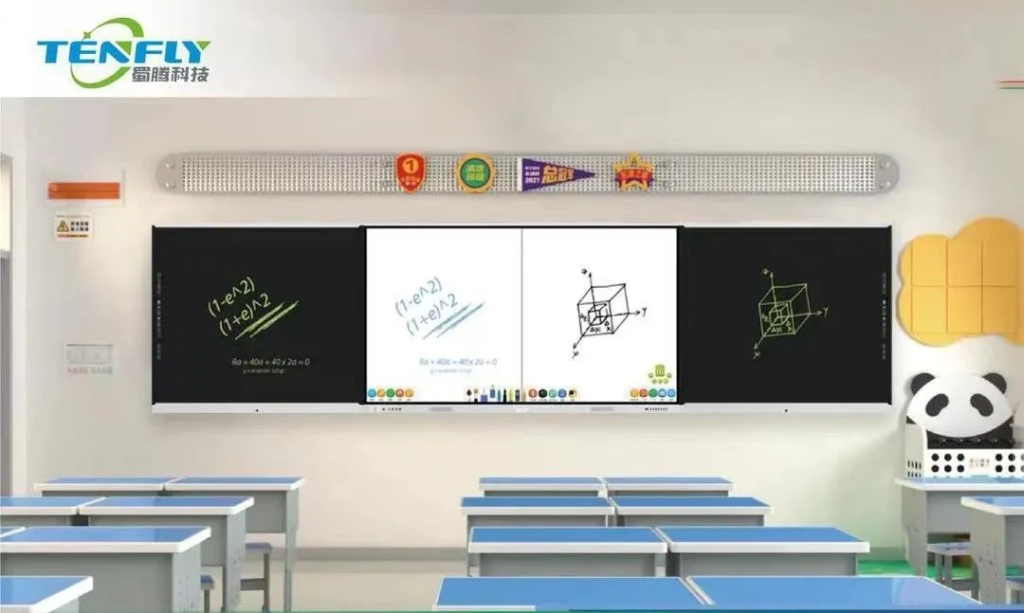
Traditional classrooms with controlled lighting can still support interactive whiteboards.
Bright rooms, glass walls, or large spaces benefit from the stable brightness and resolution of interactive flat panels.
Usage Frequency
Daily, intensive use (smart classrooms, meeting rooms): interactive flat panels perform more reliably.
Occasional use (training rooms, basic classrooms): interactive whiteboards may be sufficient.
User Skill Level
End users who prefer minimal setup and intuitive operation often find interactive flat panels easier to adopt.
For a detailed technical comparison, refer to our Interactive Whiteboard vs Interactive Flat Panel overview.

Step 3: Match the Technology to Your IT Ecosystem
Modern interactive displays are increasingly integrated into digital workflows.
Enterprise and Corporate IT
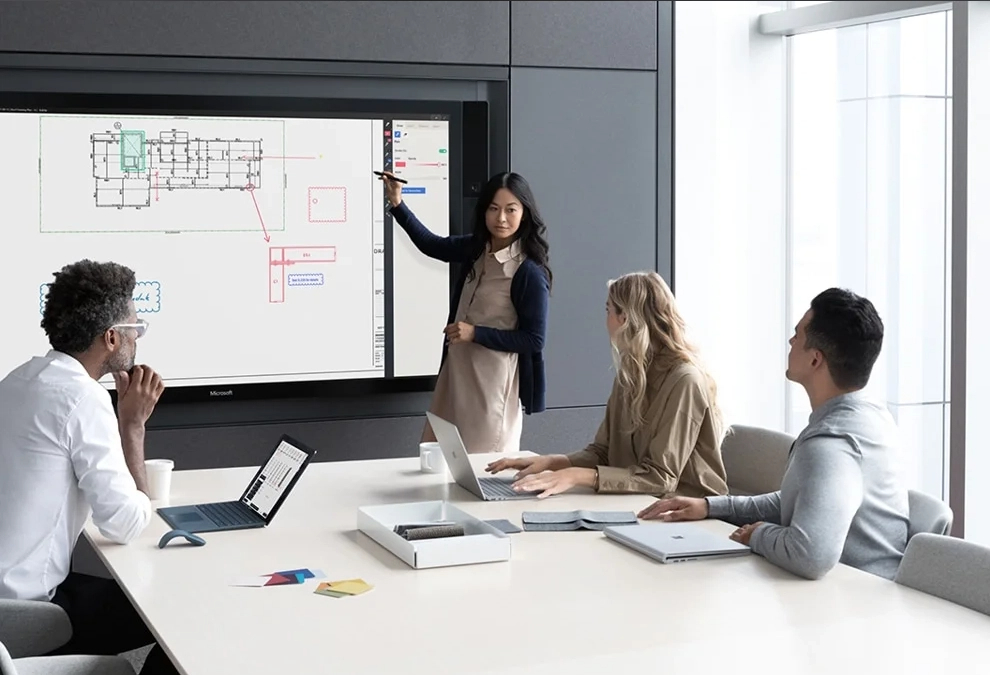
Interactive flat panels support wireless screen sharing, video conferencing, and centralized management, making them easier to integrate into modern IT environments.
Education with Limited IT Resources
Interactive whiteboards paired with existing PCs may still work well when IT infrastructure is simple and stable.
System Integrator Perspective
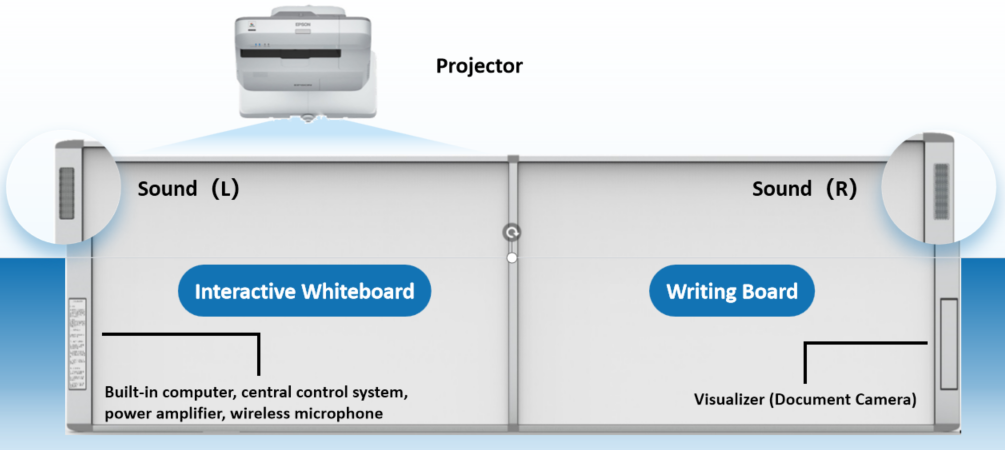
From an integration standpoint, interactive flat panels reduce reliance on external devices and simplify system architecture, which lowers installation time and service complexity.
Step 4: Consider Maintenance and Lifecycle Responsibility
Maintenance Requirements
Interactive whiteboards require projector calibration and periodic component replacement.
Interactive flat panels operate as all-in-one units with fewer moving parts.
Service Responsibility
For projects where maintenance resources are limited, interactive flat panels often reduce long-term service pressure.
Lifecycle Planning
If the display is expected to remain in use for many years, durability and software upgradability become more important than initial cost.
Step 5: Plan for Future Expansion and Upgrades
Technology decisions should support not only current needs but also future growth.
Education Authorities & Enterprises
Often prefer interactive flat panels for phased upgrades and standardized deployments.
Distributors & Resellers
Interactive flat panels allow clearer product segmentation across different sizes and performance levels.
Large-Scale Projects
Many adopt a mixed strategy: interactive whiteboards for entry-level rooms and interactive flat panels for high-usage or flagship spaces.

Which Solution Fits Your Role Best?
Here are some suggestions:
| Buyer Role | Recommended Choice | Key Reason |
| Budget-focused schools | Interactive Whiteboard | Lower initial cost |
| Smart classrooms | Interactive Flat Panel | Daily use & clarity |
| Corporate meeting rooms | Interactive Flat Panel | Collaboration & IT integration |
| System integrators | Interactive Flat Panel | Easier installation & support |
| Distributors / wholesalers | Interactive Flat Panel | Better product tiering |
| Mixed large projects | Both | Flexible deployment |
Make the Choice That Fits Your Project, Not Just the Technology
There is no single “best” answer when choosing between an interactive whiteboard and an interactive flat panel. The right decision depends on project goals, buyer roles, usage patterns, and long-term plans.
As an experienced interactive whiteboard supplier and interactive flat panel manufacturer, Tenfly supports global B2B clients with flexible solutions tailored to real project needs.
→Explore Tenfly interactive display solutions
By evaluating these factors clearly and working with an experienced supplier, buyers can select an interactive display solution that delivers real value throughout the project lifecycle.
If you are planning an interactive display project or looking for a reliable manufacturing partner, Tenfly is ready to support your next step.
