
Durable All-in-One PCs for Harsh Work Environments: How to Choose the Most Cost-Effective One
Not every all-in-one PC is designed for clean offices and silent desks.
If your computer is located on a manufacturing site, in a storage room, or close to powerful machines, then the main concern is not the performance but the durability.
We will, however, clarify the term “harsh,” the features that actually make an AIO sturdy, and the way to select the best one without paying extra.
What Is a “Harsh Work Environment” for an All-in-One PC?
The subject of tough environments for all-in-one PCs is basically summarized by four main enemies: dirt, heat, vibration, and instability (consider a faulty power supply or erratic climate). These are the factors that most rapidly destroy common all-in-ones. Nevertheless, harsh environments differ among each other—the risks are unique and thus different requirements for your computer.
| Work Environment | Key Risks (Dirt/Heat/Vibration/Instability) | Biggest Threat to Your All-in-One |
| Factory Floors / Manufacturing Plants | High dust, moderate to high heat, constant vibration from machinery, stable power (usually) | Dust clogging fans and internal parts; vibration damaging hard drives |
| Construction Sites / Outdoor Job Sites | Dust, extreme heat/cold (depending on weather), occasional vibration (from tools), unstable power (generator use) | Extreme temperatures are frying circuits; water/dust is getting into ports |
| Warehouses / Logistics Centers | Dust, moderate heat (from lack of AC), vibration from forklifts, stable power | Dust buildup; accidental bumps/collisions (common in busy warehouses) |
| Oil & Gas Fields / Chemical Plants | Corrosive fumes, high heat, moderate vibration, risk of flammable particles | Corrosion of metal parts; fire/explosion risk from unprotected electronics |
| Remote Locations (Deserts, Polar Regions) | Extreme heat/cold, sand/dust, unstable power (solar/generator), no climate control | Extreme temperatures frying circuits; water/dust is getting into ports |
What Makes an All-in-One PC Durable in Harsh Environments?
Before defining what durable means, let’s clear up a common confusion.
Durable All-in-One PCs vs Standard All-in-One PCs
The difference isn’t just materials—it’s design philosophy.
| Aspect | Standard AIO PC | Durable AIO PC |
| Design goal | Looks & performance | Stability & longevity |
| Operating time | Office hours | Long or continuous use |
| Cooling | Open airflow | Protected or sealed |
| Failure tolerance | Low impact | High cost if failed |
- Standard AIOs are built for comfort.
- Durable AIOs are built not to be noticed when everything else is rough.
Why Standard All-in-One PCs Fail in Harsh Environments
Failures, in most cases,s do not occur in one night. They accumulate without noise.
- Dirt gradually coversthe fans
- Heat leads to throttling and a short lifetime for components
- Vibration breaks down connections
- Humidity deteriorates touch precision and ports
The computer keeps on functioning—until all of a sudden it does not anymore.
This is the reason why serious conditions are exhausting the office-grade beliefs.
What Really Makes an All-in-One PC “Durable”?

The notion of an all-in-one PC that is sturdy and long-lasting cannot solely be based on the number of its “rugged” labels. Rather, it depends on the specific problems that the machine is made to withstand—and to what extent. Rather than evaluating specifications separately, it is much more practical to draw an environmental risk → durability feature → real-world value connection.
Key Durability Features That Actually Matter
| Environmental Risk | What Fails First in Standard AIOs | Durable Feature That Solves It | Why It Matters in Practice |
| Heavy dust | Fans, heatsinks | Sealed or fanless cooling | Prevents clogging and thermal failure |
| High temperature | CPU, power modules | Wide-temp components | Keeps performance stable over time |
| Vibration | Storage, connectors | Reinforced internal structure | Reduces random disconnects |
| Moisture & splash | Touch panel, I/O | Protected front panel | Prevents corrosion and input failure |
| Long duty cycles | Power delivery | Industrial-grade components | Extends service life |
If a feature doesn’t clearly solve a risk you actually have, it’s probably not worth paying for.
Which Durability Features Are Often Overrated?

Some features sound impressive but only make sense in very specific scenarios.
| Feature | When It’s Useful | When It’s Overkill |
| Military-grade certification | Defense, extreme shock | Most indoor industrial sites |
| Full stainless steel housing | Wash-down areas | Dry factory floors |
| Ultra-high brightness display | Direct sunlight | Indoor or shaded use |
Durability should be targeted, not absolute.
Overbuilding increases cost without improving uptime.
IP Ratings: Do You Really Need IP65 or IP67?
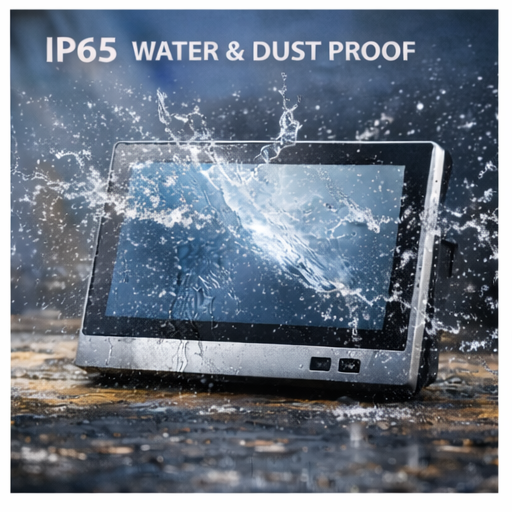
IP ratings are one of the most misunderstood durability specs.
| IP Level | What It Protects Against | When It Makes Sense |
| IP54 | Limited dust, splashes | Light industrial environments |
| IP65 | Dust-tight, water jets | Dusty factories, cleaning exposure |
| IP67 | Temporary immersion | Outdoor or wash-down zones |
For many indoor harsh environments, IP65 on the front panel is more than enough.
Full IP67 protection is only cost-effective when water exposure is unavoidable.
Fan vs. Fanless Cooling: How to Choose the Right One
Cooling design has a bigger impact on durability than CPU specs.
| Design Type | Best For | Trade-Off |
| Fanless | Dusty, low-maintenance sites | Lower peak performance |
| Protected fan | Higher workloads | Requires cleaner air |
If dust is constant and maintenance is rare, fanless wins.
If performance is critical and air is controlled, a protected fan design works well.
Durable All-in-One PCs vs Standard All-in-One PCs: How to Choose
This is where durability turns into cost-effectiveness.
| Your Workspace | The Main Threats | What to Prioritize in Your Durable PC |
| Factory Floor, Machine Shop | Metal dust, oil mist, vibration, hose-down cleaning. | 1. IP65 Rating (for wash-down) 2. Fanless Design (to resist dust/oil) 3. Glove-Compatible Touchscreen 4. Vibration Resistance (MIL-STD) |
| Warehouse & Logistics | Dust, constant vibration from forklifts, wide temperature swings. | 1. Fanless & IP65 (dust is the killer) 2. MIL-STD-810G Vibration Rating (critical for vehicles) 3. Bright Screen (500+ nits) for dock doors |
| Food & Beverage Processing | Daily high-pressure hose-downs, steam, cold temps, caustic cleaners. | 1. IP67 Rating (for immersion-level cleaning) 2. Stainless Steel or Sealed Plastic Housing 3. Fanless Design 4. Wide Operating Temperature |
| Outdoor Kiosk, Utility Yard | Rain, snow, dust, extreme heat/cold, blinding sunlight. | 1. IP65/IP67 + Wide Temperature Range (e.g., -20°C to 60°C) 2. High-Brightness Display (1000+ nits) 3. Sunlight-Readable & Anti-Glare |
Final Thoughts
The most rugged all-in-one PC isn’t the hardest to scratch and break kind on the market, though. It is the one whose overbuild is just right for your setting and no more. Pick the durability where the cost of breaking is high. Eliminate it where it is adding to the price without giving anything in return. A long-lasting AIO will be working noiselessly, for years, right where environment, usage, and configuration are perfectly aligned.
