
AIO vs Desktop vs Laptop vs Mini-PC: Which One Should You Actually Buy in 2025?
Anyone who spends about five hours each day in front of a computer screen doing anything from photo editing to multitasking has to consider more than just the technical specifications of a computer while buying. One has to consider the cost-to-flow ratio and comfort.
In 2025, there are plenty of options to choose from: AIO(All-in-One) Computers, Traditional Desktops, Laptops, and Mini PCs. Each of which has its own pros and cons. How will we know which will be the most worth buying and also the most worth spending a lot of desk space on?
AIO vs Desktop vs Laptop vs Mini-PC: How different
Before we compare, let’s quickly define each type:
| Type | Core Idea | Main Advantages | Biggest Limitations |
| AIO (All-in-One) | PC + monitor in a single device | Clean setup, large built-in screen, minimal cables | Hard to upgrade, limited performance |
| Traditional Desktop | Tower PC | Best performance, fully upgradable | Bulky, can be noisy, takes desk space |
| Laptop | Portable computer | Mobility, all-in-one on the go | Smaller screen, limited performance |
| Mini-PC | Tiny desktop | Compact, flexible monitor setup | Limited GPU and cooling options |
AIO vs Desktop — Performance, Upgrade, and Longevity

Performance
- Desktops almost always outperform AIOs.
- Desktops can house high-end CPUs, GPUs, and superior cooling.
- AIOs are often limited to mobile CPUs or integrated GPUs, making them less ideal for heavy workloads like 3D rendering or high-end gaming.
Upgradeability & Lifespan
- Desktop PCs are highly modular: swap CPU, GPU, RAM, SSD—you name it.
- AIO upgrades are usually restricted to RAM or SSD only.
- Want to replace the screen or motherboard in an AIO? Good luck—it’s usually expensive and complicated.
Display Quality
- Many AIOs come with built-in high-resolution displays (4K, wide color gamut).
- Desktops need a separate monitor purchase—but this gives flexibility in size and quality.
Scenario Comparison
| Task | AIO | Desktop |
| Office work, writing, streaming | ⭐⭐⭐⭐⭐ | ⭐⭐⭐⭐ |
| Video editing (4K, long timelines) | ⭐⭐ | ⭐⭐⭐⭐⭐ |
| Gaming (AAA titles) | ⭐⭐ | ⭐⭐⭐⭐⭐ |
| Design, photography | ⭐⭐⭐⭐ (depends on screen) | ⭐⭐⭐⭐⭐ |
| Budget-conscious buyers | ⭐⭐⭐ | ⭐⭐⭐⭐⭐ |
AIO vs Laptop — Screen Size, Performance, and Portability

Mobility
- Laptops win if you need to move your computer around.
- AIOs are stationary by design—perfect for a permanent desk setup.
Screen Size
- Laptops: typically 14–16 inches.
- AIOs: 23–32 inches or more, often with higher color accuracy.
Thermals and Noise
- Laptops overheat easily under load.
- AIOs handle heat better but can still lag behind a full desktop.
Best For
- AIO: Home office, video calls, content creation, minimal desk clutter.
- Laptop: Students, commuters, remote workers.
AIO vs Mini-PC — Space, Performance, and Flexibility
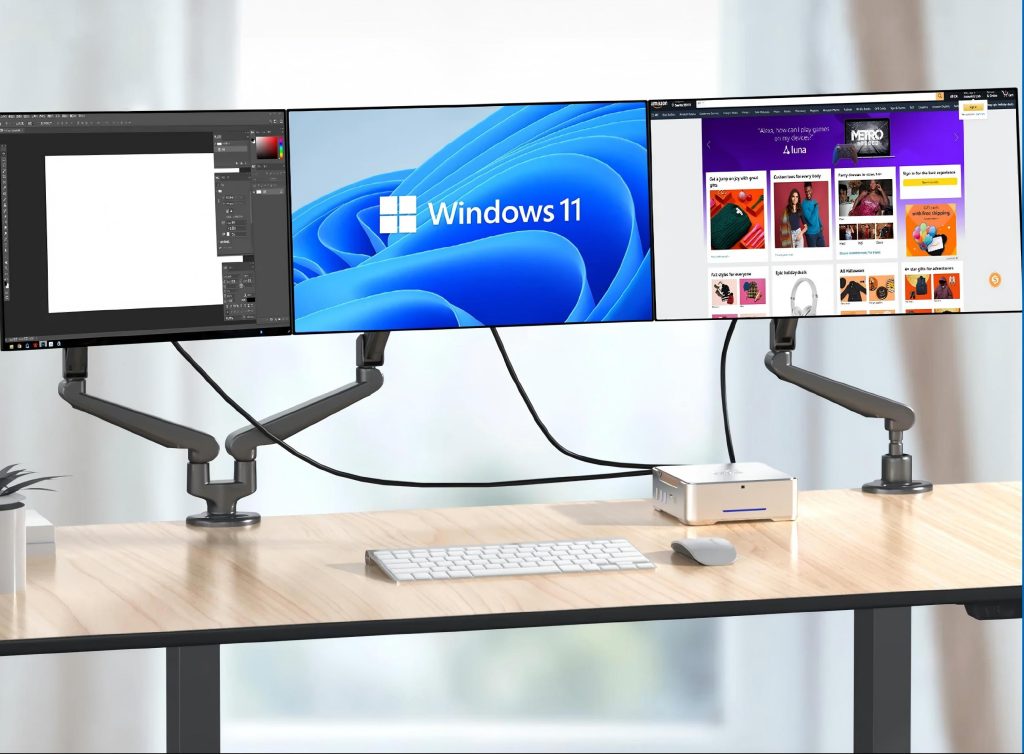
Desk Footprint
- Both save space, but AIO includes the monitor.
- Mini-PCs are tiny and can be paired with any monitor.
Performance
- Some Mini-PCs allow discrete GPU installation.
- Most AIOs cannot, so Mini-PCs offer more flexibility for performance upgrades.
Display Freedom
- Mini-PC: upgrade or replace monitors anytime.
- AIO: built-in monitor is fixed; repair or replacement can be costly.
Best For
- Mini-PC: Clean desktop, flexible display options, moderate performance.
- AIO: Plug-and-play simplicity, large built-in screen.
AIO vs Desktop vs Laptop vs Mini-PC: Which One Should You Actually Buy?
| User Type | Recommended | Why |
| Home office, Zoom, light work | AIO | Big screen, simple setup, good enough performance |
| Professional content creators (video, 3D, AI) | Desktop | Maximum performance & GPU power |
| Frequent travelers, students | Laptop | Mobility is priority |
| Minimalist, custom display setup | Mini-PC | Compact + flexible monitor choice |
Price & Value — Who Gets the Best Bang for the Buck?
2025 value ranking
- Desktop – highest performance per dollar
- Mini-PC – flexible, small footprint
- Laptop – varies by brand/spec
- AIO – more expensive for less performance, but visually and ergonomically appealing
Key takeaway: AIO wins in space-saving & aesthetics, but desktops dominate performance, upgradeability, and longevity.
Conclusion
- AIOs look really nice and are great for general office work, light editing, video calls, and viewing. If that’s all you need, go for it. If you are looking for something high-performance, maybe look for something else.
- For power users, gamers, and professionals, desktops are the standard. You get the best performance.
- If you need to work on the go, laptops are the best option.
- If you are low on desk space, you’ll like mini-PCs. You get the best desk space use, and you will have some options for upgrades later.
If you need the color-accurate screen, but like the look of AIOs, get a dual-screen setup with one AIO and one color-accurate monitor. For color sandwiches, you need something for really accurate work, and the AIO will keep you comfortable.
