
Windows All-in-One vs. Apple iMac (M4/M5): Which Fits You Best When Prices Are Similar?
Let us clear up the matter first—this is not a fan war. The comparison of Windows All-in-Ones (like the Lenovo IdeaCentre series) with Apple’s iMac M4 or M5 is not about which one is better; it is based on two simple truths:
- iMac (M4/M5) is not “better,” but “more certain.” You receive a predictable, seamless experience perfectly tuned for the Apple ecosystem.
- Windows All-in-One is not “stronger,” but “more flexible.” It supports work, creativity, gaming, and everything in between—and can expand to meet your future requirements.
As one of the Lenovo All-in-One dealers in Europe and the US, I have had conversations with a lot of people—ranging from small business owners who are managing client calls and payments to freelancers who are switching between graphic design and admin work. The guide is drawn from experience rather than consumer electronics specs sheets. Similar price points will be the focus of our discussion, the major differences will be highlighted, and finally, you will be assisted in selecting the machine that suits your lifestyle.
Windows All-in-One vs. Apple iMac (M4/M5): Which Fits You Best When Prices Are Similar?
To begin with, let’s delineate the fundamental disparities through a simple comparative table. Our emphasis is on the most significant factors for everyday use—like performance, color fidelity, ecosystem, etc.—all in the same price bracket
| Core Comparison Dimensions (Real-World Impact) | Windows All-in-One (Lenovo IdeaCentre 5 Pro) | Apple iMac M4 | Apple iMac M5 |
| Performance (Daily Feel) | Balanced multi-core power: Smooth for simultaneous spreadsheet work, video calls, 4K video editing (light to medium), and 3A gaming. No lag with 5+ apps running. | Snappy single-core response: Great for web browsing, docs, Zoom calls, and casual photo editing. Struggles with heavy multitasking or 4K high-bitrate editing. | 15-20% CPU/GPU boost vs. M4: Handles 4K high-bitrate editing, batch RAW photo processing, and complex data analysis smoothly. Still not optimized for gaming. |
| Color & Display Quality | 27-inch 4K screen, 100% DCI-P3 wide color gamut, ΔE<2 (accurate for design). Large size ideal for split-screen work; brightness adjusts well for different lighting. | 24-inch 4.5K Retina display, 100% P3 wide color gamut, ΔE<1.5 (exceptional color accuracy). Crisp, vibrant visuals; compact size fits small desks. | Same 24-inch 4.5K Retina screen as M4—no color/quality upgrades. Maintains pro-level color accuracy for creative work. |
| Ecosystem Compatibility | Works with all Windows apps (CAD, QuickBooks, gaming titles), old peripherals (printers, scanners), and Android devices. Seamless file drag-and-drop with Android phones. | Seamless Apple ecosystem integration: AirDrop, Universal Clipboard, and Apple Watch unlock. Limited support for Windows-only apps and legacy peripherals. | Same Apple ecosystem perks as M4, plus AI-enhanced Mac apps (Final Cut Pro, Logic Pro) for faster creative workflows. |
| RAM/Storage Flexibility | Upgradable: RAM up to 64GB, storage expandable with NVMe SSD. Easy to upgrade later as needs grow (no new machine required). | Non-upgradable (same as M4). Base model 8GB RAM/256GB storage; premium for higher specs adds high cost. | Non-upgradable (same as M4). Base model 8GB RAM/256GB storage; premium for higher specs adds significant cost. |
| CPU Performance | Multiple brands, high-end options, handles heavy multitasking | Efficient, low-power, good for light-to-medium tasks | Ultra-fast, perfect for professional creative work |
| GPU / Graphics | Optional dedicated GPU, good for 3D, gaming, and creative apps | Integrated GPU, enough for light creative work | Strong integrated GPU, great for video and rendering |
| OS & Ecosystem | Windows + diverse software, highly flexible | macOS + Apple ecosystem, stable | macOS + Apple ecosystem, deeply integrated |
| Best For | Office, creative work, gaming, multi-tasking | Light office work, light creative, Apple ecosystem fans | Professional creative, heavy office work, Apple ecosystem pros |
Windows All-in-One: Best for Business Work + Multi-Scene Creativity + Gaming + Flexible Upgrade Needs

The foremost benefit that a Windows All-in-One is the flexibility. It’s an ideal choice for users who don’t want to be constrained by a single application or a single ecosystem.
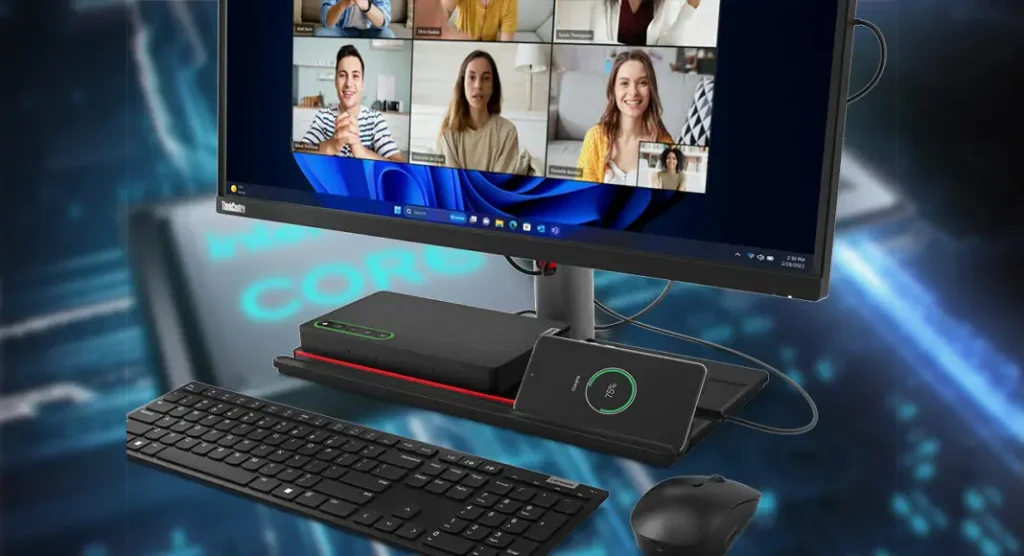
Hardware performance: Consider the Lenovo IdeaCentre 5 Pro with an Intel Core i7 processor. It is capable of handling everyday multitasking effortlessly. Let’s say you are a freelancer—the power of balanced multi-core performance will let you run PowerPoint for a client presentation, Premiere Pro for video editing, and Zoom for a call all at the same time. In fact, this is the power of balanced multi-core performance—more important than raw speed when you are switching tasks constantly.
Display and colors: In color-critical work such as graphic design or photo editing, the 27-inch 4K monitor with 100% DCI-P3 coverage ensures that your work looks consistent across devices, and there are no surprises when sharing files with clients.
Gaming and leisure: Are you in need of a break? A gaming-grade video card enhances your experience in playing games like Elden Ring or FIFA at stunningly real-like and high-quality (without needing to buy an extra console).
Upgradeability: The long-term value is tremendous. More memory or storage is needed as your small business grows, but you will not buy a whole new machine just for that.
Peripheral compatibility: Windows is compatible with all of your devices—old printers, gaming controllers, POS systems—and even makes moving files from an Android phone easy and smooth.
Who it fits: Small business owners, freelancers doing creative and admin work, gamers wanting one machine for work and play, and anyone who is fed up with being restricted to one ecosystem.

Apple iMac M4: Best for Lightweight Business Work + Casual Creative Tasks + Apple Ecosystem Deep Users

In case you are fully into Apple products, then the iMac M4 is a perfect device for you. It is like having an iPhone or iPad right on your desk—a definite area of its superiority. After unboxing, you just have to plug it, and that’s it—no software installs, no driver setups, just pure and easy user experience, which is liked by Apple fans.
Performance for light work: The computer is fast and silent, and ideal for doing emailing, making video calls, and working on Google Docs, or making quick edits to presentations. The smooth macOS interface and no pop-up ads help remote workers stay concentrated.
Display and workflow: The 24-inch 4.5K display renders colors exceptionally well, making it suitable for quick photo or slide edits. AirDrop makes the process of transferring photos from your iPhone to your computer breezy—no wires, no fuss.
Limitations: Not intended for heavy tasks. Working with 4K videos or having multiple large programs running will cause the machine to slow down. RAM and storage are not upgradeable, meaning if you go for 8GB RAM and 256GB storage, you will be stuck—having to pay more up-front for higher specs, thus making the price nearer to a Windows All-in-One.
Who it suits: Apple lovers (iPhone/iPad/Apple Watch users), remote workers who only need the basics, casual photographers/videographers, and those who prefer simplicity rather than flexibility.
Apple iMac M5: Best for High-Efficiency Business Work + Heavy Creative Tasks + Apple Ecosystem-Dependent Pros
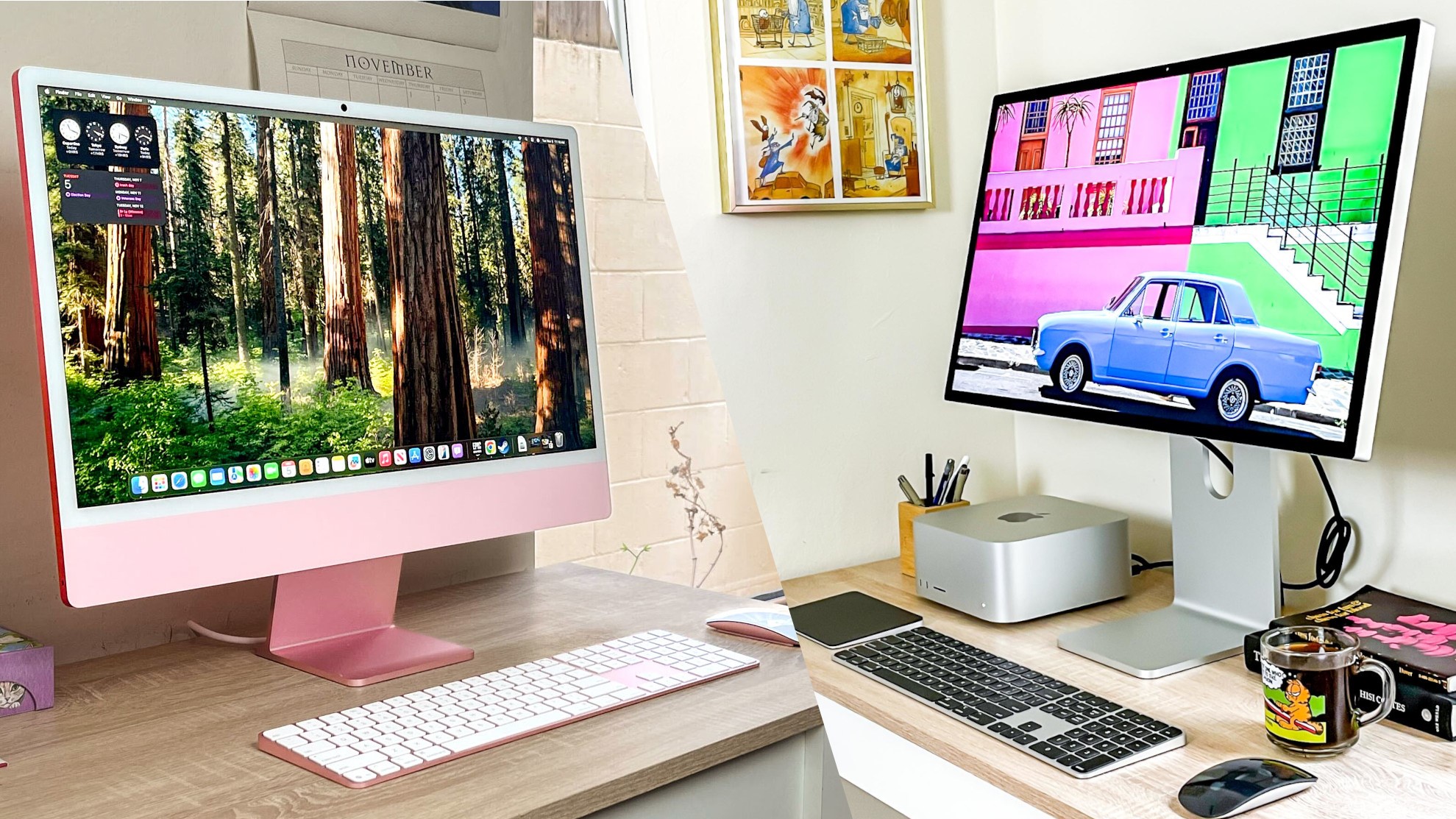
The iMac M5 is a definite choice for pro-level work due to its certainty. The new M5 chip provides 15-20% more CPU/GPU power than the M4, which is a very big difference for the professionals: faster 4K video editing, quicker batch processing of RAW photos, and smoother business data analysis.
AI features like smart document organization that saves time during meetings add extra value. Besides, the usual Apple ecosystem perks are there—AirDrop large files to your iPad, unlock with Apple Watch, and cross-device calendar sync. The display has remained the same as in the M4, but that’s okay—the color accuracy is still excellent for professional creative work.
Drawbacks: RAM or storage upgrades are not possible, gaming support is very limited, and the price is considerably higher than the M4. The M5 is definitely not worth it unless you rely on Apple-exclusive software such as Final Cut Pro or Logic Pro, or if you need maximum performance for heavy daily tasks.
Best for: Professional video editors and photographers, Logic Pro musicians, business analysts working with large datasets, and Apple aficionados who expect top performance in the ecosystem.
What Are the Pros & Cons of the Windows Ecosystem for All-in-Ones?
Windows is a plus because it is flexible, but that flexibility has drawbacks. Let’s examine what you will be able to feel in the long run.
- Pros (Real-World Wins): Unbeatable compatibility is the major advantage. It can launch every business application (CAD, QuickBooks, POS software), every creative tool (Photoshop, Blender, Premiere Pro), and every 3A game. It also supports old peripherals—there’s no need to buy a new printer or scanner as the old one is still working fine. For corporations, Windows is simple to manage in bulk (IT crews love it for remote troubleshooting). Additionally, Android integration is unobtrusive—simply copy files from your mobile to your computer or take calls directly from your All-in-One device.
- Cons (Real-World Frustrations): In some budget models, bloatware might be an issue (luckily, Lenovo’s business-oriented All-in-Ones are clean). Updates that pop up can sometimes be a nuisance and can take up your time, though you can plan them for a time when it’s convenient for you. Cloud compatibility is not as good as with Apple—Android sync works fine, but it is not the same as AirDrop or Universal Clipboard in terms of ease. And for beginners, the large number of settings might at first be quite a challenge (though it is not difficult to master the basic ones).
iMac vs. Windows All-in-One: Who’s More Guilty of “Rehashing Old Stuff”?
Incremental improvements are commonly marketed as “new” items—and the iMac M5 is the best example of this. Identical design, identical display, identical connections—the main alterations are a chip that is only a bit faster and some AI capabilities. The extra $300/€350 feels like an attempt to extract money from customers, particularly since RAM and storage are still non-upgradable. Even among Apple users at their forums, the question of whether or not it is worth switching arises—what is the opinion? Only if you are a professional who exactly needs every bit of performance.
Different are the Windows All-in-One PCs that follow another strategy. Instead of that, mid-range models like the Lenovo IdeaCentre 5 Pro have more excellent displays, better cooling, more ports, and upgradable features. You will no longer pay just for the faster chip but get a computer that can cope with more applications, multitasking, and will develop along with your requirements. The less expensive Windows All-in-Ones might be just copies, but models in this price range are giving you real, palpable value.
The bottom line: the iMac M5 is a gamble if you cannot stand the idea of buying nothing but “old tech in new packaging” at an extra cost. Windows All-in-Ones with the same price tag offer real differences in everyday use.
Newbie Users: Should You Even Choose an All-in-One?
All-in-Ones are great for novices but they are not universal solutions. Let’s analyze it:
When to go for an All-in-One desktop:
- The workstation you crave is a neat one that is ready to use right away without the hassle of wires or separate units.
- Light work like browsing, documents, video calls, and minor creative work—it’s all that you need.
- The space is limited, like in a tiny flat or a small home office.
When not to consider it:
- If you intend to play the most recent games, then a standard desktop with a GPU offers better performance and less noise.
- Your budget is very limited—generally, a basic tower + monitor costs less than an All-in-One with the same specifications.
- You prefer hardware personalization—upgrading parts or building your own PC can be a more gratifying experience.
A tip for beginners:
- In the case of All-in-One, never go for lower specs—16GB RAM and 512GB SSD should be your minimum to ensure you won’t be facing slowdowns in a year.
- Let the ecosystem you are in direct your choice: iPhone users will feel the iMac to be the most compatible; Android users or those who only use Windows-based apps will get more out of a Windows All-in-One.
Summary
The main point is: iMacs are more “certain” while Windows All-in-Ones are more “flexible.” If the prices are similar, specs should not be the only factor to consider, but rather your daily routine and ecosystem loyalty.
- Reasons to choose Windows All-in-One: If you need one machine that can handle work, creativity, and gaming; if you want the option to upgrade later; if you are using Android devices or old peripherals; or if your Windows software is a must.
- Reasons to choose iMac M4: If you are already in the Apple ecosystem, if you need light business or casual creative tools, and if simplicity is your preference over flexibility (okay with setting specs upfront).
- Reasons to choose iMac M5: If you are a professional user needing top performance from Apple, if you rely on Final Cut Pro or Logic Pro, and if you are willing to pay extra for a slight performance upgrade.
The ideal machine is the one that becomes almost invisible because it adapts to your workflow perfectly. Still not sure? Go and test both at a store—log in to your apps, make a photo edit, write a quick email. Which one is more intuitive? That’s your answer.
