
Is a Lenovo All-in-One PC Worth It? A Buyer’s Guide
As an authorized Lenovo distributor for many years, we interact with all kinds of customer needs every day. From home users to large-scale enterprise buyers, there’s one common question we often hear: “With so many brands on the market, how do I choose the right one?”
After years of sales experience and tracking thousands of units from delivery to after-sales service, we’ve reached a clear conclusion: for most users who value convenience, efficiency, and long-term reliability, a Lenovo All-in-One PC remains the choice you can never go wrong with.
Today, from an insider’s perspective, we’d like to share some heartfelt insights – why it’s truly worth owning, and how you can choose the right one for yourself.
Four Professional Reasons Why a Lenovo All-in-One PC Is Worth It
This isn’t just a sales pitch – it’s what we’ve witnessed firsthand as a long-time Lenovo distributor, following each product from inventory and delivery to after-sales support. These are the real, measurable advantages that make Lenovo All-in-One PCs stand out.
Reason 1: Rigorous Factory Standards Mean Fewer Issues
Lenovo has a reputation for rigorous quality control. Every unit goes through a series of durability, performance, and safety tests before it leaves the factory. As an authorized distributor, the last thing we want is to deal with constant returns – and Lenovo’s All-in-One PCs consistently maintain one of the lowest failure rates in the industry.
That means less downtime, fewer repairs, and smoother performance – for you, and yes, even less after-sales work for us.
Which is peace of mind for you and confidence for us – a true win-win.
Reason 2: Smart Design That Ends Cable Chaos
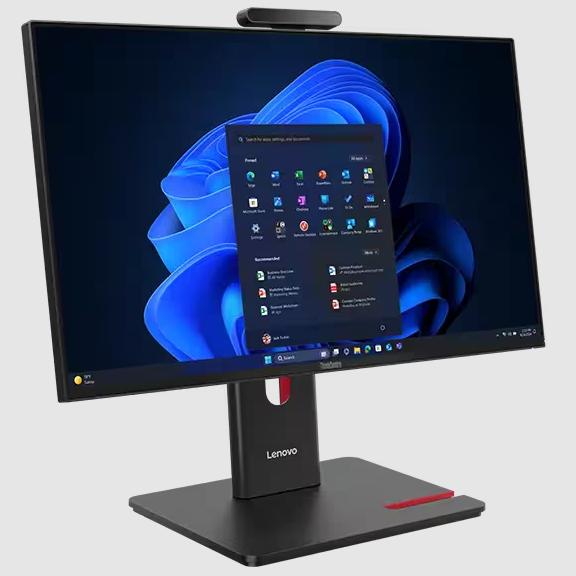
If you’re tired of tangled cables and bulky desktops, Lenovo’s All-in-One design is a breath of fresh air. Everything – the monitor, CPU, webcam, and speakers – is built into one compact unit.
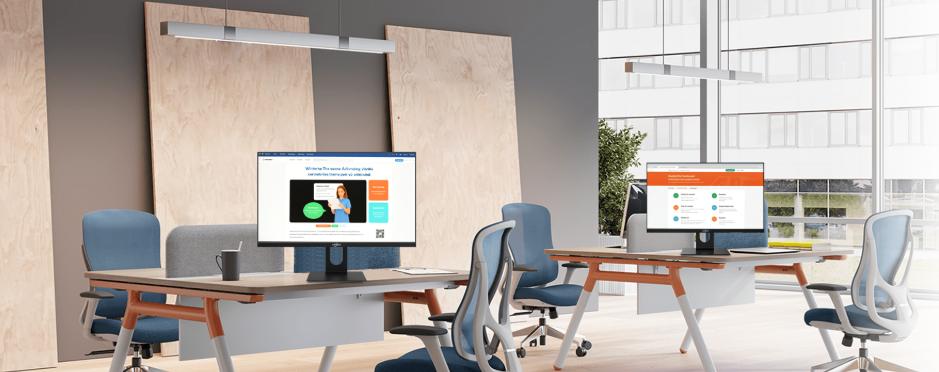
The result? Clean, minimalist desks, easier setup, and more workspace. Whether it is placed at the front desk, the manager’s office, or the study at home, it looks particularly neat and professional to focus on what truly matters.

Reason 3: A Clear Product Line for Every Type of User
One of Lenovo’s biggest strengths is the clarity of its All-in-One lineup. Whether you prioritize performance, aesthetics, or value, Lenovo makes it easy to find your match:
- For Ultimate Stability: Choose the ThinkCentre AIO series, built for business users who demand reliability, strong security, and all-day performance.
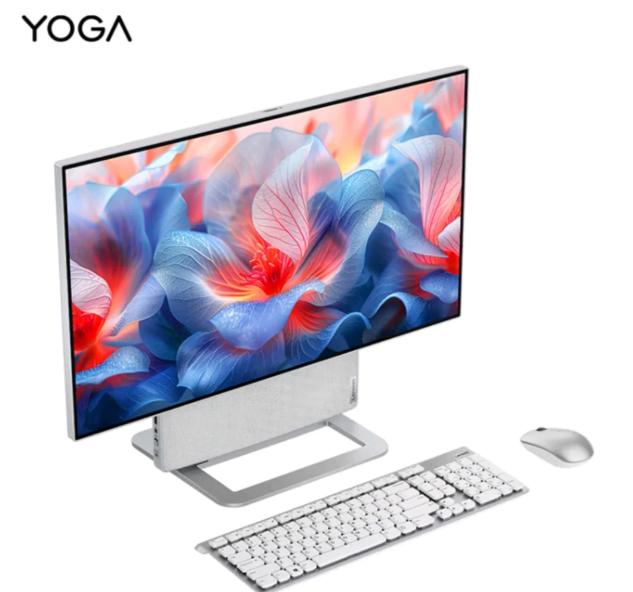
- For Style and Performance: The Yoga AIO series delivers powerful specs wrapped in a premium, minimalist design – perfect for designers, creators, or modern offices.
- For Great Value: The IdeaCentre AIO series offers balanced performance and affordability for home users, students, and small businesses.
This clear segmentation means we can help you identify the perfect model quickly – so you get exactly what you need without overspending.
Reason 4: Reliable Support – Double Protection from Us and Lenovo
When you buy through an authorized distributor, you get the peace of mind of dual support – both from Lenovo’s global after-sales network and from our service team.
Whether it’s setup guidance, warranty service, or upgrade advice, we stand behind every device we sell.

How to Shop Like an Expert: Our “Inside” Buying Guide
Ready to choose? Here is the four-step process we use when advising our most informed customers. By focusing on use case, core specs, unique features, and the right model, you’ll choose the perfect Lenovo AIO.
Step 1: Define Your Primary Use Case
Before looking at specs, determine the PC’s main job. This instantly narrows your options and budget, ensuring you get the right blend of power and value.
| Primary Use Case | Key Needs | Recommended Lenovo Series |
| Family/General Use | Web browsing, streaming, light document work, stylish home design. | IdeaCentre AIO (Value and aesthetics) |
| Business/Office | Reliable, secure, heavy multitasking, remote management. | ThinkCentre AIO (Durability and security) |
| Creative/Premium | Video editing, graphic design, 4K display, powerful GPU, AI features. | Yoga AIO (High-end performance and design) |
Step 2: Decoding the Core Specs (Grab the Essentials)
Don’t get lost in spec sheets. Focus on these four components to ensure the performance aligns with your use case:
| Component | Why It Matters | Our Recommendation |
| Processor (CPU) | The “brain.” It determines speed for complex applications. | Intel Core i5 / AMD Ryzen 5 or higher for a great balance. Core i7/Ryzen 7 or Core Ultra for creative work. |
| Memory (RAM) | Used for multitasking (running many apps/tabs simultaneously). | 16GB is the current sweet spot for smooth Windows 11 performance. Get 32GB+ for professional tasks like video editing. |
| Storage (SSD) | How fast data loads. Always choose SSD over HDD for instant booting and app loading. | A 512GB SSD is the comfortable minimum. 1TB SSD is best if you store many large files. |
| Graphics (GPU) | Essential for gaming, 3D work, and advanced video editing. | Integrated graphics (Intel UHD/AMD Radeon) are fine for office/family use. Choose a model with a dedicated NVIDIA GeForce RTX GPU (often found in Yoga or higher-end ThinkCentre AIOs) for creative tasks. |
Step 3: Look for Key Feature Upgrades
Lenovo loads their AIOs with smart features that directly enhance the “all-in-one” experience. Look for these crucial elements based on your needs:
- Display Quality and Size: Need a big screen? Lenovo offers up to 27-inch and 32-inch 4K UHD displays. For the best clarity on a larger screen, aim for better than 1080p (FHD).
- Touchscreen Capability: Many IdeaCentre and ThinkCentre models offer optional touchscreens, perfect for retail, education, or simply intuitive home navigation.
- Premium Audio/Visuals: Look for Harman® audio speakers and AI-enhanced webcams (often with a TrueBlock Privacy Shutter) for cinema-quality streaming and crisp video calls.
- Connectivity: Ensure the model has HDMI-in ports. This is a game-changer! It allows you to use the AIO screen as a dedicated monitor for a gaming console, a laptop, or another device, extending its useful lifespan.

Step 4 (Most Critical!): Select the Right Series and Purchase Channel
Lenovo’s naming conventions simplify your choice:
| Series | User Profile | Key Features |
| IdeaCentre AIO | Home & Family | Stylish, good value, large screens, optional touchscreen. |
| ThinkCentre AIO | Professional & Business | Enterprise security, VPro® processors, durability, often VESA mountable. |
| Yoga AIO | Creators & Enthusiasts | Sleekest design, UHD/4K displays, dedicated GPUs, AI features. |
We’ve seen too many cases where buyers tried to save money through unofficial sellers, only to face warranty issues or counterfeit parts later.
When you buy from an Authorized Dealer like us, you get:
- Genuine Lenovo products with verified serial numbers
- Official warranty coverage and repair support
- Expert pre-sale and after-sale guidance
When it comes to computers, who you buy from matters as much as what you buy.
Ready to Make a Smart Choice?
A Lenovo All-in-One PC isn’t just a purchase – it’s an investment in efficiency, design, and peace of mind. With reliable performance, clean aesthetics, and strong after-sales protection, it’s one of the few devices that truly delivers long-term value for both individuals and businesses.
As Lenovo‘s trusted distributor, we’ve seen how these systems perform in real life – and we confidently recommend them to anyone seeking a hassle-free, future-ready desktop solution.
So if you’re planning to upgrade your workspace or streamline your office setup, now is the perfect time to explore Lenovo’s All-in-One lineup.
