
How to Choose a PC Monitor in 2025?
In the digital era, computer monitors are no longer just output devices—they have become essential components that influence work efficiency, visual experience, and creative performance.
However, with the overwhelming variety of models and complex technical specifications, many users often feel confused when choosing a monitor: Which specifications really matter? What kind of monitor truly suits my needs?
As a professional PC monitor manufacturer, Tenfly understands the technology and user needs behind every display. In this article, we’ll take a professional perspective to help you understand how to choose a PC monitor. Let’s dive in!
Part 1. Define Your Usage Requirements Before You Choose a Monitor
Before choosing a monitor, the first and most crucial step is to identify your primary purpose. Different usage scenarios demand different display features and performance levels, for example:
For Gamers:
Gaming monitors emphasize the refresh rate and response time to provide slick, lag-free graphics.
We recommend a minimum of 144Hz refresh rate and 1ms response time combined with adaptive sync technology (G-Sync or FreeSync) for an immersive and fluid gaming experience.
For Designers & Creative Professionals:
Color accuracy and panel quality are significant. Use high color gamut IPS panels (sRGB or Adobe RGB range) and Delta E < 2 factory calibration so that each tone and shade of your work is expressed precisely. Wide angle view and even brightness are also essential for professional-grade visual editing.
For Office & Business Users:
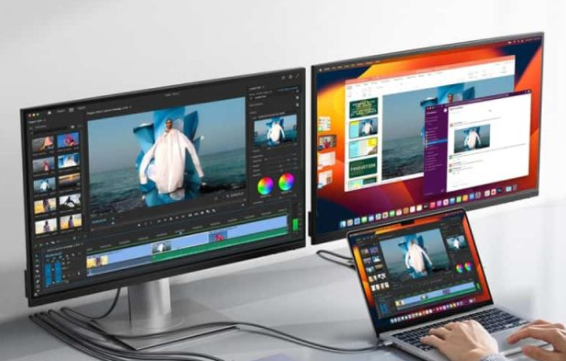
Productivity and comfort should always come first. Consider items such as ergonomic adjustable stands, backlit keyboards without flicker, blue light reduction technologies to ease eye strain due to long hours of work, ultrawide monitor setups for multitasking to increase workflow efficiency.
Part 2. Finding the Ideal PC Monitor Size and Resolution
The size and resolution of a monitor work hand in hand to determine both visual clarity and overall comfort. A well-balanced combination ensures that text remains crisp, details stay sharp, and long hours of use don’t cause eye fatigue. Here are some practical recommendations:
| Monitor Size | Recommended Resolution | Ideal Use Case |
| Under 23 inches | 1080p (Full HD) or below | Small, compact monitors ideal for secondary monitors, small desks, or general use. Ideal for users with extremely minimal space or little computing needs. |
| 23–25 inches | 1080p (Full HD) | Ideal for office work, study, or home use for routine tasks. Affordable and suitable for general usage. |
| 27 inches | 1440p (2K QHD) | Superb blend of performance and resolution—ideal for gaming, graphic design, and multitasking. |
| 32 inches and above | 4K UHD | Recommended mostly for video editing professionals, photographers, or any high-end creative application that requires the highest level of detail. |
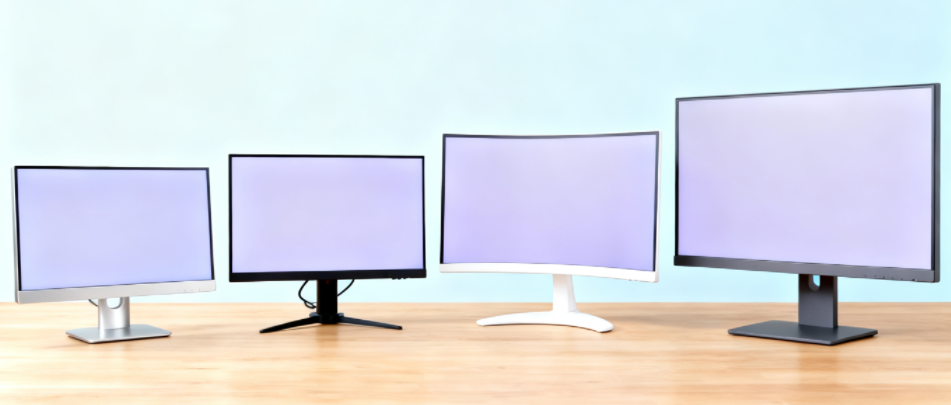
If you often manage multiple windows or large spreadsheets, or simply prefer a more immersive field of view, an ultrawide monitor (21:9 or even 32:9 aspect ratio) can greatly improve productivity and viewing comfort.
For office and business applications, it is recommended that the viewing distance be about 1.5 times the diagonal of the screen. This will keep your eyes relaxed enough to work for hours without getting tired.
Improved resolution gives sharper images on a larger screen but requires a more powerful graphics card. Balance performance, comfort, and cost always when deciding what setup works best for you.
Part 3. Acquaintance with Panel Types: IPS, VA, and TN
Panel type is among the most significant parameters that define overall monitor performance, it affects color accuracy, contrast ratio, viewing angle, and response time. Below are 3 of the most popular panel types on the market:
| Panel Type | Advantages | Best For |
| IPS (In-Plane Switching) | Delivers genuine color depiction, extensive viewing angles, and uniform brightness, meaning colors won’t change even from the side. | Designers, creative professionals, and office users who need color fidelity and visual comfort. |
| VA (Vertical Alignment) | Famous for its high contrast ratio and deep blacks, making it ideal for movie watching or gaming in dark rooms. | Video enthusiasts, entertainment lovers, and users who prefer deep, vivid images. |
| TN (Twisted Nematic) | Offers very low response times and input lag, typically at a more affordable price. However, viewing angles and color quality are generally worse. | Competitive gamers or those who prioritize speed and responsiveness over color quality. |
Among them, IPS panels are now the most versatile and most sought-after option around. With their well-stable image quality, life-like color reproduction, and wide viewing angles, they excel both at work and at play. Whether the user is editing photos, creating graphics, or just surfing the web, an IPS display offers an even-handed experience that will delight the majority of users.
Part 4. Refresh Rate & Response Time: The Secrets to a Smooth Visual Experience
Of screen performance, response time and refresh rate are two of the key measures that control how responsive and fluid your viewing experience is.
Refresh Rate (Hz):
It defines how often the screen redraws its image per second. The higher the refresh rate, the less flicker and the more fluid the motion — ideal for fast-moving pictures.
Response Time (ms):
This refers to the speed at which a pixel transitions from one color to another. The faster the response time, the quicker the transitions are, with less ghosting and motion blur.

The following is how to select based on your requirements:
For Office and General Use
A 75Hz refresh rate is more than sufficient for general office use, Internet surfing, and video viewing. It delivers smooth graphics without tiring your eyes or your purse.
For Gamers and Animation Experts
If you are a professional gamer or engage in motion-heavy content creation, a 144Hz to 240Hz monitor displays very smooth and responsive graphics. It makes a difference, movement looks more realistic, and fast action is simpler to follow without tear or blur.
Response Time Consideration:
For eSport players, 1ms response time is best. It lowers input lag and eliminates afterimages, allowing you to have an edge of a split-second in action games or animation editing where the difference can be created in split seconds.
Part 5. PC Monitor Connectivity & Ergonomic Design
In today’s modern workspaces, choosing a monitor is not just about image quality, it’s also important to consider connectivity options and user comfort, as these factors directly impact daily usage and productivity.
Multiple Connectivity Options:
Make sure the monitor offers sufficient ports, such as HDMI, DisplayPort, and USB-C. This allows easy connection to laptops, desktops, or other devices. Some monitors even support USB-C power delivery, reducing cable clutter and keeping your desk organized.
Ergonomic Stands:
Adjustable monitor stands are crucial. Features such as height adjustment, tilt, swivel, and pivot help users find the most comfortable viewing position, reducing neck and eye strain during long hours of use.
VESA Mount Compatibility:
If you plan to use a monitor arm or wall mount, choose a display that supports VESA mounting standards. This helps save desk space and creates a clean, efficient workspace.
Part 6. Other Practical Functions When Choosing PC Monitor
In addition to the key factors to consider before choosing a PC monitor, here are some additional points you should also pay attention to.
HDR (High Dynamic Range):
HDR increases contrast and color depth, producing brighter bright sections and darker dark sections. This results in more natural images and gives more depth to movies, games, and creative media.
Eye-Care Modes:
Blue light filtering and flicker-free features minimize eye fatigue from prolonged use, making the monitor more comfortable to work with for office applications, study sessions, or gaming sessions.
Speakers Built-In:
Internal audio minimizes the use of external speakers for general audio needs, saving space on your desk and keeping your area tidy and convenient.
Curved Screens:
Curved screens provide a more immersive experience, especially on ultrawide screens. Since they ever-so-gingerly curve the screen around your field of vision, they prevent distortion at the edges and enhance gaming or multi-tasking experience.
When selecting a monitor, consider which of these additional features will really add value to your day-to-day use. While not all features are a requirement for all users, the right mix can make a really long, long way towards adding comfort, immersion, and overall performance.
Part 7. Build Quality & Customization: Tenfly’s Professional Advantage
Being a professional PC monitor manufacturer, Tenfly has dedicated itself to display technology for years and offers top-quality, customized display solutions to our global clients. Our primary strengths are:
- Precision Manufacturing: By using automatic assembly lines and strict check processes, we ensure uniform color performance and stable quality in every monitor.
- Multiple Customization Services: We offer OEM/ODM manufacturing services like industrial design as per customization, logo printing, packing solution, and electronic setting as per your specifications.
- Global Certification Standards: Tenfly monitors are manufactured as per global export standards and CE, FCC, RoHS, ISO9001 certified, ensuring they are safe, compliant, and reliable.
- Professional R&D Support: We offer top-of-the-line features like color calibration, backlight optimization, and eye-care modes, which are planned to create an optimal user experience.
As a brand owner, distributor, or corporate buyer, Tenfly can provide you with diversified and stable cooperation modes according to your needs in the market, with solutions integrating quality, performance, and personalization.
Final Thoughts
Choosing a monitor is not just a hardware choice, it’s the choice of getting a technology partner that you can rely on. From reading this guide, we hope you’ll feel a lot more confident in choosing monitor for PC: performance, quality, and manufacturing expertise all contribute to the ultimate user experience.
As a display brand of commercial PC, Tenfly’s strengths are in quality, providing high-performance, tailor-made display solutions worldwide. We help customers achieve the best visual experience in various occasions, from office usage and design to gaming and entertainment. If you are looking for a reliable PC monitor manufacturer, don’t hesitate to contac us!
