
Choosing Monitors for Design, Development, and Office Teams: An Enterprise Guide
Selecting the right computer monitors is no longer a simple hardware purchase. For enterprises, monitors directly affect productivity, collaboration efficiency, visual accuracy, and even operational risk. Design teams care about color fidelity, developers stare at code for hours, office staff need comfort and consistency, while trading floors and monitoring centers rely on absolute clarity and stability.
As a professional monitor supplier, Tenfly works with enterprises across office, creative, industrial, and commercial scenarios. This guide breaks down monitor selection by four typical enterprise team types, translating technical specifications into practical, procurement-friendly decisions. The goal is simple: help you choose the right monitor for the right team, without overpaying or under-specifying.

For General Office & Remote Collaboration Team: The Foundation of Efficiency and Well-being
Who This Is For: All departments handling documents, data, email, and video conferencing—Administration, HR, Finance, Marketing, and widespread remote workers.
The Core Challenge:
Consider that your employees likely stare at a screen for over 6 hours a day. Are their eyes often dry or strained? When juggling multiple spreadsheets or long documents, do they waste time constantly switching and scrolling between windows? During crucial video calls, is the image clear and colors true-to-life? These daily frustrations are precisely the starting point for choosing the right office monitor.
Key Specs Decoded & Buying Advice:
The mantra for an office monitor is “comfort and efficiency for the long haul.”
- Size & Resolution: The Golden Pair. We recommend screens between 24-inch and 27-inch. This size offers ample visual real estate without dominating the desk. Pair it with a 1920×1080 (FHD) or 2560×1440 (QHD/2K) resolution to ensure sharp text and image edges, allowing for comfortable reading without zooming and significantly boosting multi-tasking efficiency. For instance, comparing two Word documents side-by-side on a 27-inch 2K screen becomes effortless.
*Supplier Suggestions: Tenfly’s 23.8”-25” and 27” monitor series offer multiple FHD and QHD models, perfectly balancing desktop footprint with clarity for computer monitor for office work.
- Eye-Care Technology: A Non-Negotiable Standard. Prioritize “Hardware-level Low Blue Light” and “Flicker-Free” technology. Unlike software filters, these features reduce harmful short-wave blue light and eliminate screen flicker at the source, addressing the root cause of long-term visual fatigue and safeguarding team health.
- Ergonomic Stand: The Hidden Productivity Engine. A monitor that only tilts forces employees into awkward postures, leading to neck and shoulder strain. A stand that offers height, tilt, swivel, and even pivot (for portrait mode) adjustment is essential. It allows every user to find their perfect, healthy viewing angle—a long-term investment in preventing workplace discomfort.
- Connection Convenience: The Power of USB-C. For laptop users, a full-featured USB-C port that combines data, video, and power delivery (typically 65W or higher) is a game-changer. It declutters the desk with a single cable, enabling a clean, efficient, and professional workspace.
Matching Advice & Procurement Checklist:
For office teams, prioritize “balance and durability.” A solid procurement checklist should include:
- Panel Type: IPS panel, ensuring color consistency when sharing screens with colleagues.
- Core Specs: 24-27 inches, FHD or QHD resolution.
- Health Features: Hardware Low Blue Light + Flicker-Free certification.
- Build Details: Fully adjustable ergonomic stand + Three-sided narrow bezels (for a seamless view in multi-monitor setups).
- Future-Proofing: HDMI, DisplayPort, and strongly consider USB-C with Power Delivery.
Tenfly Office Solution Insight: Our commercial monitor series is built for durability in enterprise environments and team well-being, forming a reliable foundation for an efficient and healthy digital workspace.
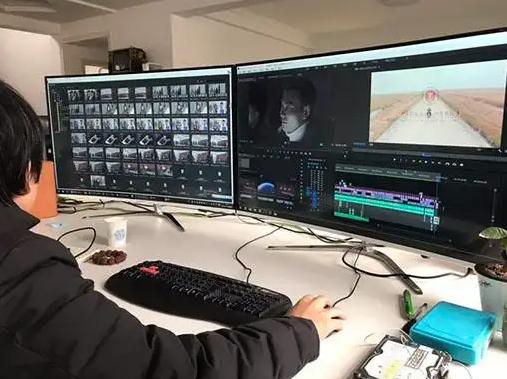
For Professional Design & Creative Team: True Color, Perfect Detail
Who This Is For: Graphic design, UI/UX design, photo retouching, video editing, digital art—any creative department where color and detail are paramount.
The Core Challenge:
A designer’s nightmare? Their meticulously crafted work looks different on a client’s screen or in print. This “color drift” is the ultimate pain point. Additionally, lag when editing 4K footage or an inability to see the finest image details can cripple creative workflows.
Key Specs Decoded & Buying Advice:
Investing in monitors for creatives is about investing in “absolute color authority” and “uncompromising detail.”
- The Color Performance Trinity: The Mark of a Pro.
- Color Gamut: This defines the range of colors a display can show. Over 99% sRGB coverage is the baseline. For print-focused work, look for Adobe RGB; for film, TV, and digital content, DCI-P3 is key. A wide-gamut monitor is the canvas for color creation.
- Color Accuracy: Measured by Delta E (ΔE); lower is better. ΔE < 2 is the professional threshold, meaning color variance is virtually imperceptible. Crucially, seek models that provide an “out-of-the-box calibration report”—proof each unit is individually tuned, not just meeting panel specs.
- Color Depth: 10-bit color (or 8-bit+FRC) displays 1.07 billion colors, enabling smooth gradients and eliminating unsightly color banding in skies, shadows, and other smooth transitions.
- Resolution & Size: The Magnifying Glass for Detail. “Larger and sharper” is the rule. We strongly recommend 27-inch or larger monitors with 4K (3840×2160) resolution. The higher pixel density (PPI) delivers extremely sharp imagery, letting designers see every pixel and giving video editors more timeline real estate.
*Supplier Suggestions: For detail-obsessed professionals, explore high-resolution models in Tenfly’s 27” and larger series, offering an ideal canvas for a computer monitor for photo editing or computer monitor for video editing.
- Uniformity & Consistency: A pro monitor should maintain consistent brightness and color from center to edge, preventing incorrect edits due to screen variation.
Matching Advice & Procurement Checklist:
For creative monitors, “precision” always trumps “flashy.” Your checklist must be stringent:
- Core Image Quality: 27-inch+ 4K IPS panel, 10-bit color depth.
- Color Trinity: 99%+ sRGB/Adobe RGB/P3 (as needed), ΔE < 2, with factory calibration report.
- Pro Feature: Hardware calibration support (allows direct adjustment of the monitor’s internal color lookup table via a calibrator for long-term stability).
- Critical Reminder: Budget for professional calibration tools (e.g., X-Rite i1) and establish a regular (e.g., quarterly) calibration schedule. This is the lifeline for maintained color integrity.
Tenfly Professional Insight: A true pc monitor for graphic design provides a trusted color standard, ensuring creative vision remains intact from conception to delivery.
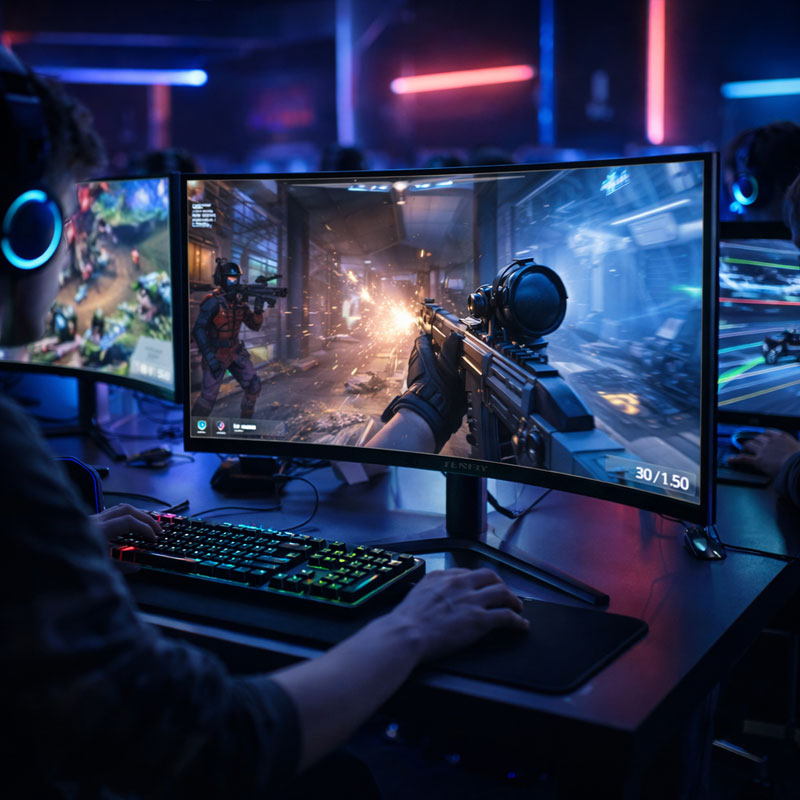
For Esports & High-Performance Computing Team: Where Every Millisecond Counts
Who This Is For: Esports organizations, game development/QA teams, and departments like financial modeling, data analysis, or scientific computing that demand ultra-low latency and fluid visual feedback.
The Core Challenge:
In competitive gaming or high-frequency trading, victories and losses are decided in milliseconds. Motion blur, input lag, or screen tearing can cause delayed feedback and missed opportunities. For developers and analysts, smooth visual feedback is equally critical when processing vast datasets or complex 3D models.
Key Specs Decoded & Buying Advice:
The pursuit here is “the ultimate in speed and fluidity.”
- Refresh Rate & Response Time: The Golden Duo. The Refresh Rate (e.g., 144Hz, 240Hz, 360Hz) is how many times the screen updates per second. Higher rates mean smoother motion and less stutter. Response Time (1ms GtG) is how fast a pixel can change color; faster means less ghosting. Together, they define visual “real-time-ness.”
- Adaptive Sync Technology: The Tear-Free Essential. NVIDIA G-SYNC Compatible or AMD FreeSync Premium synchronizes the monitor’s refresh rate with the GPU’s frame rate, eliminating screen tearing and stutter for buttery-smooth gameplay. This is a must-have for any serious computer monitor for gaming.
- Panel Choice: The Speed-Visuals Balance. Traditional TN panels are fastest but have poor colors and viewing angles. Modern Fast IPS panels offer excellent IPS color and viewing angles with dramatically improved speed, making them the best all-around choice. OLED delivers ultimate response and contrast but requires consideration of budget and potential burn-in.
- HDR & Contrast: The Immersion Bonus. True HDR (certified like VESA DisplayHDR 600/1000) provides higher brightness, purer blacks, and a wider dynamic range, revealing stunning detail in shadows and highlights. This is a premium, experience-enhancing feature.
Matching Advice & Procurement Checklist:
The key principle is “matching monitor capability to system power.” Don’t pair an ultra-high-refresh-rate monitor with an underpowered PC.
- Speed Core: 24-27 inch Fast IPS panel, Refresh Rate ≥165Hz, Response Time ≤1ms GtG.
- Fluidity Guarantee: Support for G-SYNC Compatible or FreeSync Premium.
- Connection Must-Have: A DisplayPort 1.4 (or later) cable and port are essential to unlock high refresh rates at high resolutions.
- Ergonomics: Full adjustability helps players and professionals find their focused, comfortable posture.
Tenfly High-Performance Note: Our performance-focused monitor series is engineered to minimize visual latency, providing esports athletes and professionals with lag-free feedback for pinpoint accuracy.
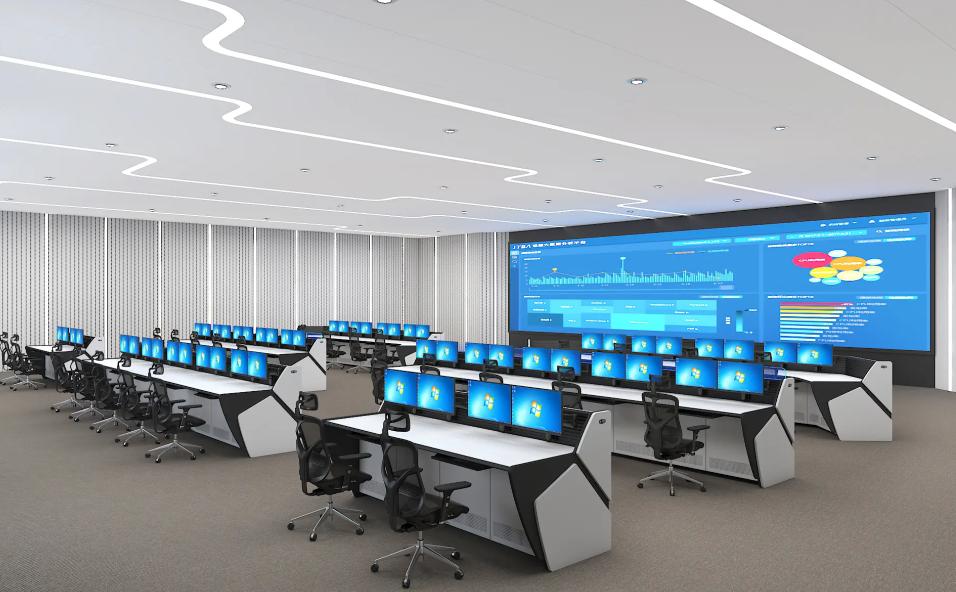
For Financial Trading & Multi-Screen Command Center: Mastering the Information Flow
Who This Is For: Trading floors in financial institutions, e-commerce operations centers, IT network operation centers (NOCs), security monitoring hubs—any team that needs to monitor multiple streams of live information simultaneously.
The Core Challenge:
In the age of information overload, efficiency depends on a “commanding view.” Traders need dozens of data windows visible; sysadmins need entire network dashboards in sight. The pain points are clear: not enough screen space, missed information due to constant window switching, and inconsistent colors/brightness across multiple screens that hinder accurate analysis.
Key Specs Decoded & Buying Advice:
The goal here is “maximum screen real estate and visual uniformity.”
- Form Factor Strategy:
- Ultra-Wide “Curved” Monitors (e.g., 34” 21:9, 49” 32:9): A single display provides a seamless, panoramic workspace for multiple apps side-by-side, boosting focus and efficiency for a single user without physical bezels interrupting the view.
- Standard Monitors in a Multi-Display Array: Offers maximum flexibility. The key is choosing identical models with three-sided (or ideally, four-sided) micro-edge bezels to minimize visual disruption and create a near-seamless canvas.
- Resolution & Size: Pixel Quantity is King. The objective is to display the maximum amount of information. For example, a 38-inch 3840×1600 ultra-wide or a grid of two/four 27-inch QHD/4K monitors can provide a vast digital desktop.
*Supplier Suggestions: For building multi-screen arrays, most Tenfly monitors feature narrow bezels. Models like our 31.5” large-format displays or standard sizes are excellent for creating powerful, cohesive information walls.
- Uniformity & Reliability: It’s critical to purchase identical models from the same production batch to ensure panel consistency. Also, consider the Mean Time Between Failures (MTBF) and commercial-grade warranties for environments requiring 24/7 operation.
- Mounting & Stands: Ensure monitors have standard VESA mount patterns (100x100mm is common) to use with professional multi-monitor arms, enabling flexible, sturdy, and space-saving setups.
Matching Advice & Procurement Checklist:
For command centers, “plan before you purchase.”
- Form Factor Decision: Choose ultra-wide or multi-panel based on workflow.
- Uniformity Rule: Purchase multiple identical, narrow-bezel models. Commercial series are ideal.
- Installation Foundation: Confirm VESA compatibility and budget for high-quality multi-monitor arms.
- Reliability Check: Prioritize durability and robust service/support terms.
Tenfly Multi-Screen Advisory: We can provide configuration consulting—from a single display to a complete multi-screen solution—helping you build a stable, efficient, and visually unified command center.
Final Advice: Empower Your Teams with the Right Tools
Selecting the right monitor for each team is a strategic investment that directly impacts employee well-being, workflow efficiency, and output quality. Here’s a quick summary:
| Team Profile | Core Requirement | Key Spec Priority | Tenfly Product Focus |
| General Office | Comfort, Efficiency, Health | Eye-Care, Ergonomics, USB-C, Balanced Resolution | Full commercial/office series, focused on wellness & connectivity. |
| Professional Creative | Color Accuracy, Pinpoint Detail | Wide Gamut/High Accuracy, 4K Resolution, Factory Calibration | High-resolution, wide-gamut models for computer monitor for photo/video editing. |
| Esports / High-Perf Compute | Speed, Fluidity, Zero Lag | High Refresh Rate, Low Response Time, Adaptive Sync | High-refresh-rate series, engineered for speed and smoothness. |
| Financial / Command Center | Information Density, Multi-Screen Unity | Ultra-Wide/Multi-Panel, Narrow Bezels, High Resolution, Reliability | Large-format & all narrow-bezel series, designed for flexible multi-screen arrays. |
As your display solutions partner, Tenfly offers a diverse product portfolio covering all these scenarios. We are committed to using our expertise to help you find the perfect “key” to unlock each team’s potential.
